
Blog
Ideas and Insights for better presentations
Practical tips on managing slides, templates, and content at scale.
Thank you! Your submission has been received!
Oops! Something went wrong while submitting the form.

No items found.
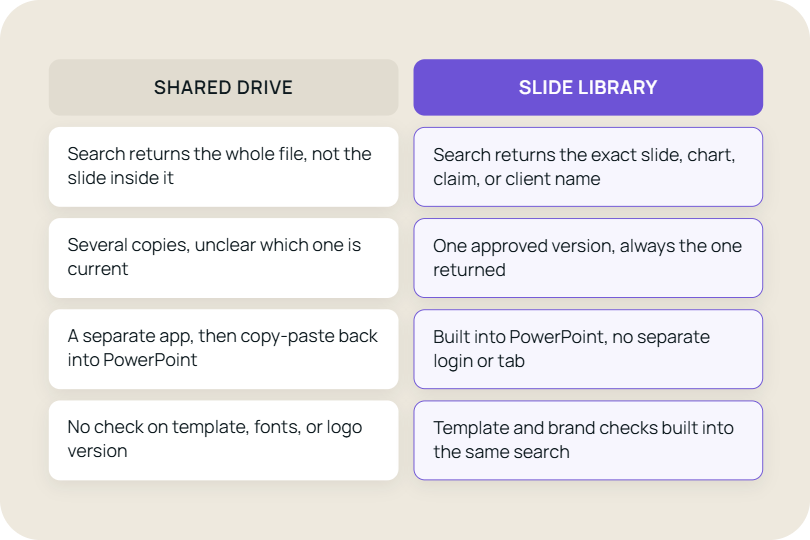
How searchable PowerPoint slides, version control, and content access can solve the problems that shared drives leave behind.

No items found.
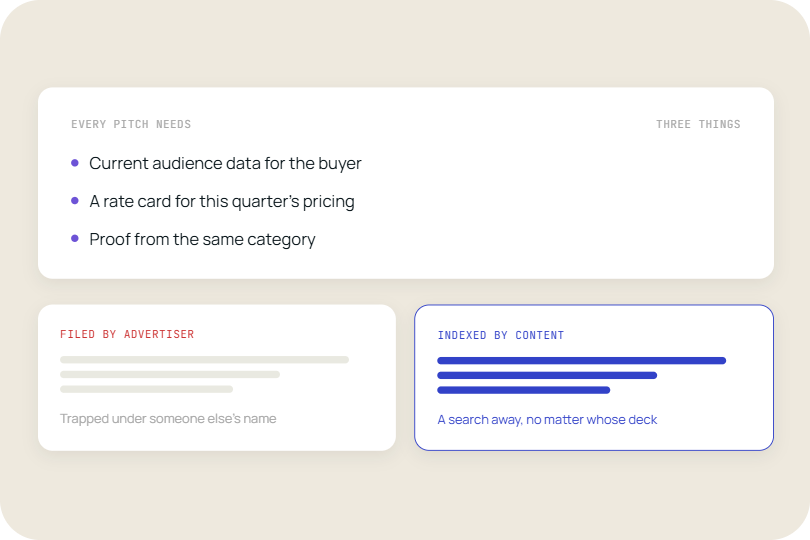
How media and advertising teams can use a searchable, version-controlled slide library to find current audience data, rate cards, and case studies without rebuilding decks.
No items found.
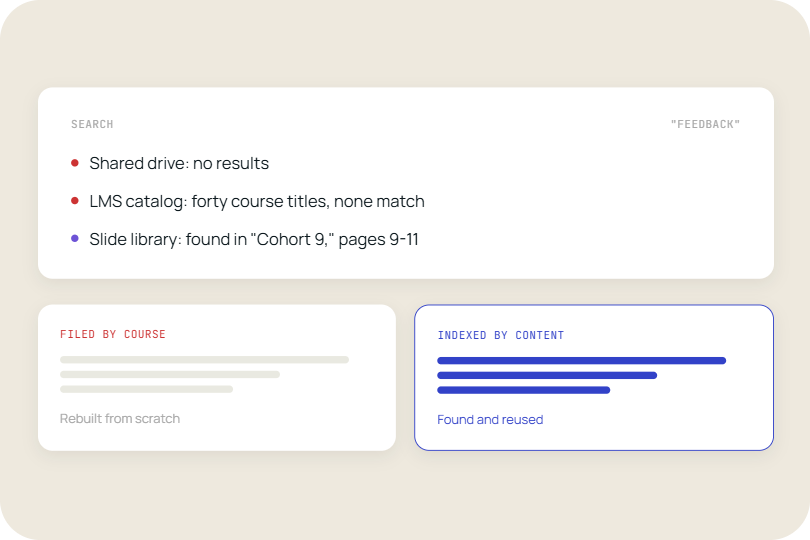
How searchable training libraries help instructional designers find, reuse, and update content instead of rebuilding modules that already exist.
No items found.
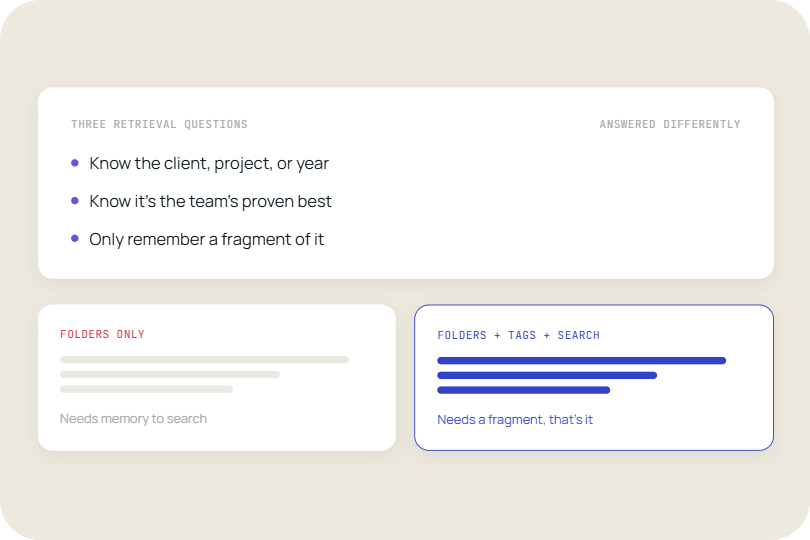
Most teams get good at one of these and treat the other two as a filing problem. People actually come at this with three different questions when they're trying to find a slide.
No items found.
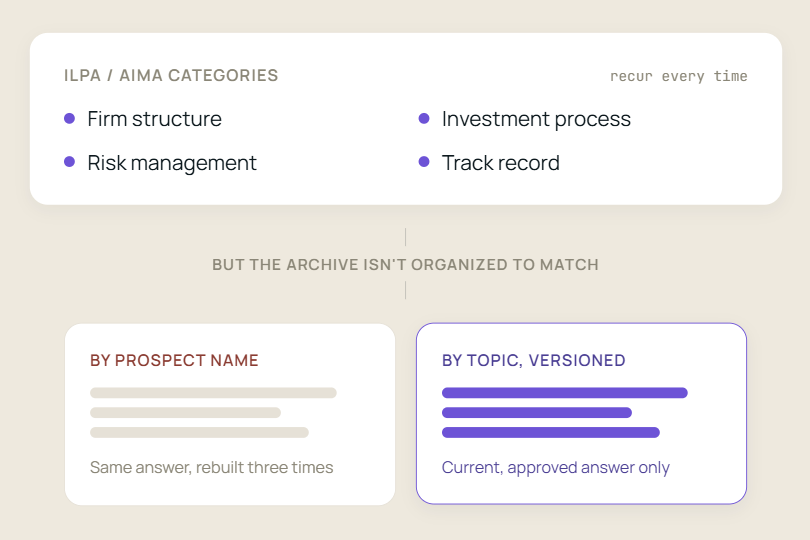
Why boutique investment managers struggle to retrieve past DDQ answers, and how a searchable content library can make the process faster and more consistent.
No items found.
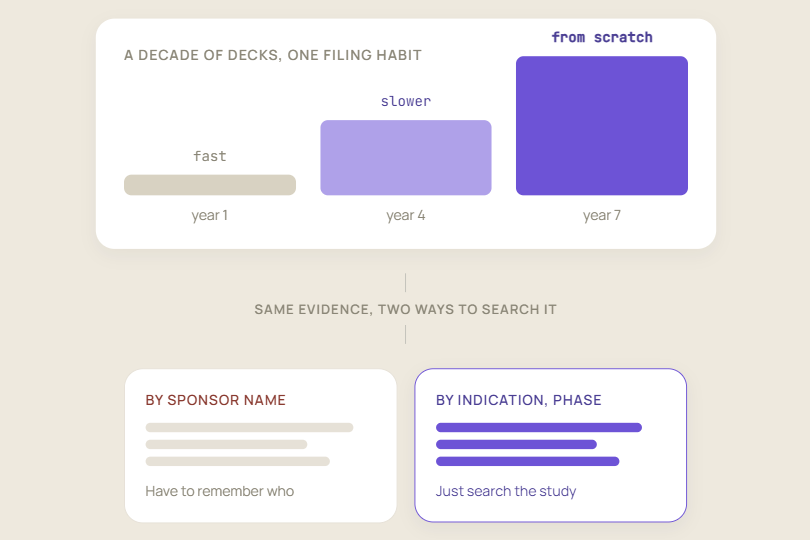
The best proof for a sponsor-specific bid defense may already exist in your past decks. The challenge is finding the right slides quickly when they’re buried in client-specific repositories.
No items found.
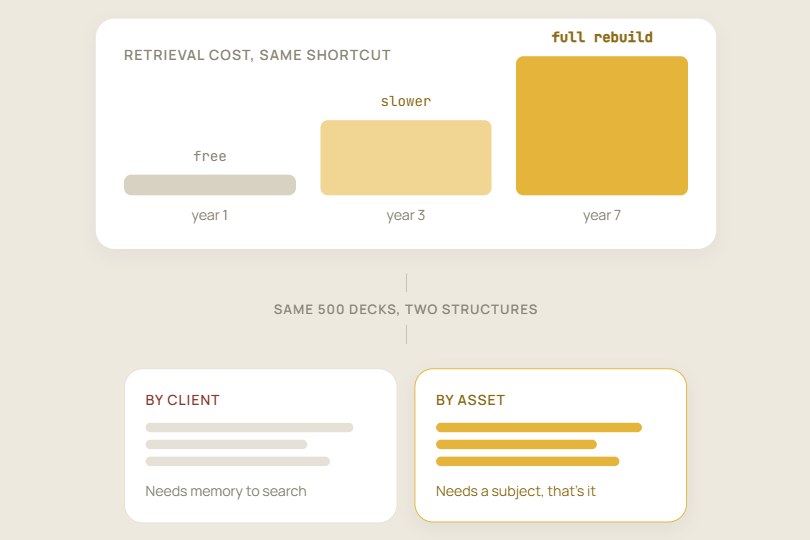
Why organizing content by client instead of by asset turns every future proposal into a retrieval problem.
No items found.
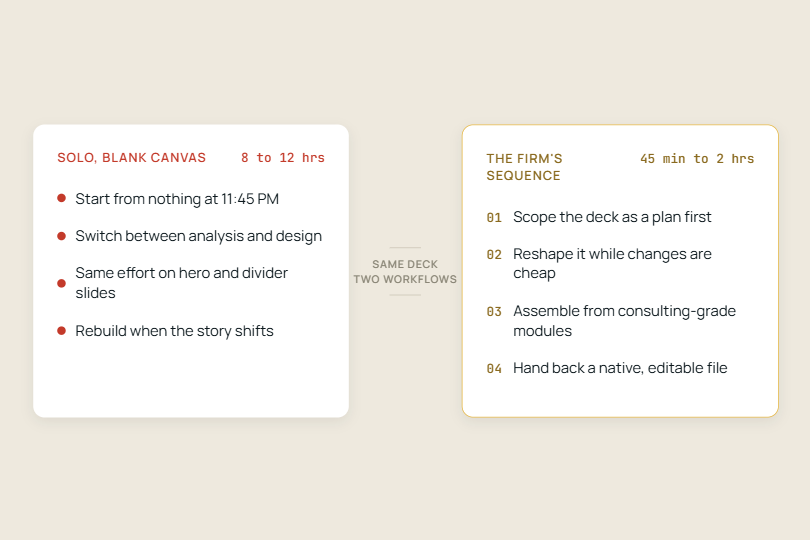
Independent consultants spend hours building PowerPoint decks from scratch. Here’s how to work like a consulting firm without the overhead.
No items found.
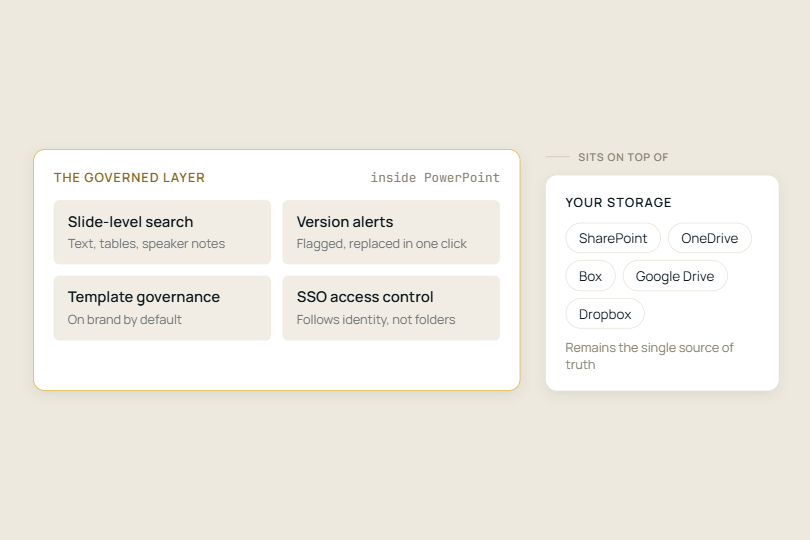
Managing slide content goes beyond storing files: it requires control over what people find, use, share, and update.
Take control of your slide library

See TeamSlide in action
Watch quick videos to see how teams find, reuse, and create slides in PowerPoint without changing how they work.
Learn

Explore key features
Browse the tools that help teams manage slide libraries, keep content up to date, and even generate new slides with AI.
Learn

Connect your content
See how TeamSlide fits into your existing tools and processes so adoption is easy and value shows up fast.
Learn
"TeamSlide has been a game changer for us. With over 160 properties, we needed a simple, scalable way to keep our teams aligned and on-brand. Now, our sales teams can build presentations faster and more confidently, knowing they’re using the latest content."

Matt Plaxe
Senior Manager
.png)
Put your PowerPoint content to work
Stop digging for slides and start reusing what already works, right inside PowerPoint.
Presentation tips, minus the fluff
Monthly tips on organizing content, improving presentations, and getting more value from your PowerPoint slide library.