
Blog
Ideas and Insights for better presentations
Practical tips on managing slides, templates, and content at scale.
Thank you! Your submission has been received!
Oops! Something went wrong while submitting the form.

No items found.
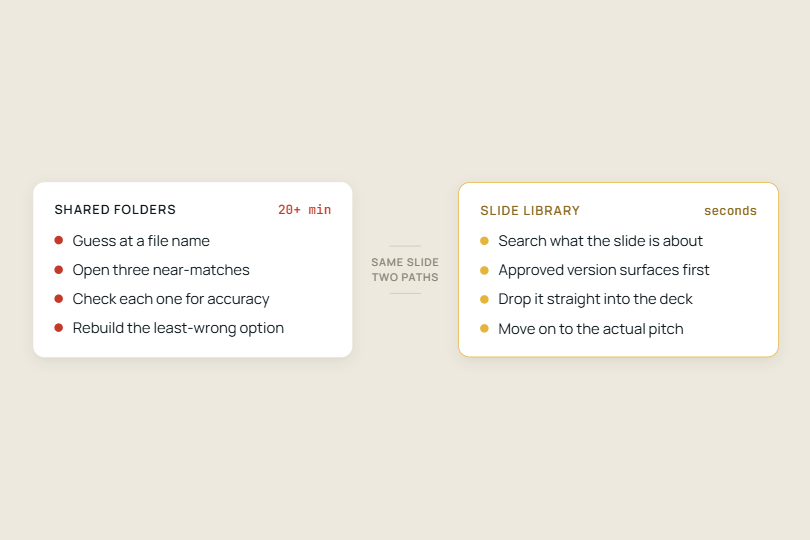
Sales reps lose hours per pitch hunting for slides. See how a searchable slide library and AI slide generation cut build time to minutes.

No items found.
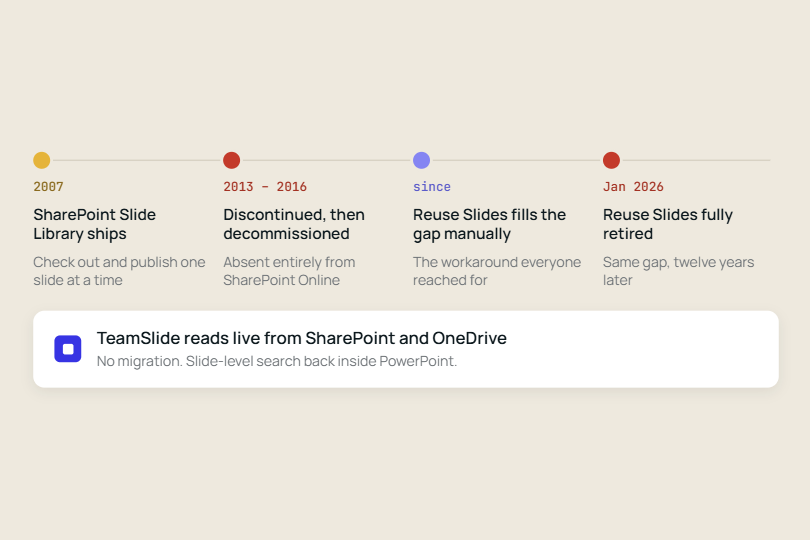
Two Microsoft features meant to solve the same problem have now both been discontinued, a decade apart, and neither absence was ever really filled by Microsoft.

No items found.
Learn how a centralised slide library keeps sales, marketing, and consulting teams on-brand, reduces rework, and replaces the chaos of shared folders.

No items found.
Construction firms rebuild the same proposal slides on every RFP because content sits in scattered folders, not a searchable library.

No items found.
Large enterprises use slide libraries, tagging, version control, and CMS integration to manage thousands of PowerPoint slides, cutting search time and keeping every deck on-brand.

No items found.
Sales teams lose deals to inconsistent decks. Here is how the best ones govern pitch content across regions without slowing reps down.

No items found.
Most companies treat slide libraries as storage, but the best use them as design assets enabling faster presentation creation, stronger brand consistency, reusable frameworks, and more effective communication.

No items found.
Sales enablement teams that centralise presentation management in a slide library cut version errors, reduce ramp time, and keep reps selling with accurate content.

No items found.
Enforce brand compliance in sales presentations with a searchable slide library inside PowerPoint. Learn how marketing teams can reduce off-brand decks, improve version control, and speed up sales enablement with slide-level governance.
Take control of your slide library

See TeamSlide in action
Watch quick videos to see how teams find, reuse, and create slides in PowerPoint without changing how they work.
Learn

Explore key features
Browse the tools that help teams manage slide libraries, keep content up to date, and even generate new slides with AI.
Learn

Connect your content
See how TeamSlide fits into your existing tools and processes so adoption is easy and value shows up fast.
Learn
"TeamSlide has been a game changer for us. With over 160 properties, we needed a simple, scalable way to keep our teams aligned and on-brand. Now, our sales teams can build presentations faster and more confidently, knowing they’re using the latest content."

Matt Plaxe
Senior Manager
.png)
Put your PowerPoint content to work
Stop digging for slides and start reusing what already works, right inside PowerPoint.
Presentation tips, minus the fluff
Monthly tips on organizing content, improving presentations, and getting more value from your PowerPoint slide library.