Why Your Slide Library Is a Design Asset, Not Just a Content Repository

Most organizations treat their slide library as a place where presentations go once they're no longer actively being used. A presentation gets uploaded to a shared drive, placed inside a folder, and slowly disappears from memory. Months later, someone else in the organization ends up recreating a slide that already exists simply because nobody knows where to find it.
It's an inefficient way to manage one of the most frequently used communication resources within a business.
Consider how much effort organizations invest in presentations. Consultants develop strategic frameworks, sales teams create customer stories, researchers build data visualizations, and marketing teams establish visual standards. Over time, companies accumulate hundreds or even thousands of slides that contain valuable knowledge and intellectual property.
The problem is that most organizations think of their slide library as a content repository. In reality, it should function as a design asset. While the distinction may seem subtle, it has a significant impact on how efficiently teams create presentations and communicate information.
The Hidden Cost of Starting From Scratch
Most professionals have experienced some version of the same scenario. A consultant needs a market-sizing slide for a client presentation. A salesperson wants to include a customer success story in a proposal. A product manager is looking for a roadmap visualization used in a previous deck.
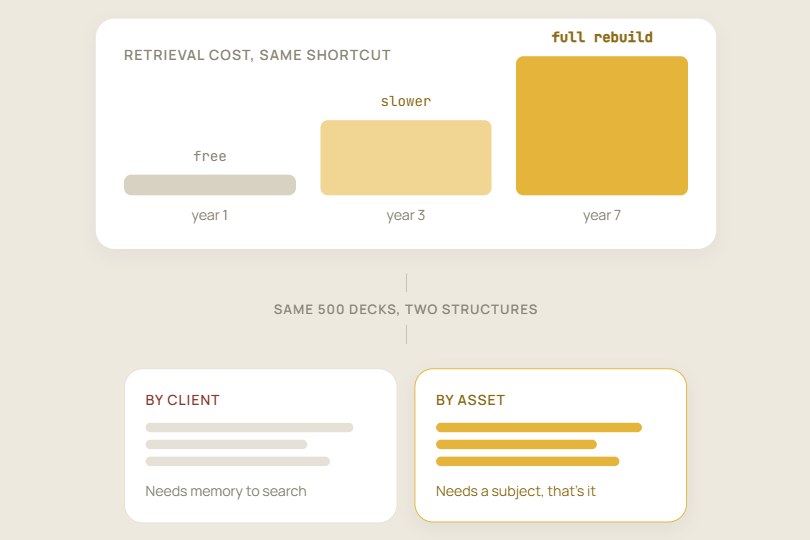
In many cases, the content already exists somewhere within the organization. The challenge is that finding it can take longer than recreating it.
As a result, teams end up rebuilding charts, redesigning frameworks, and recreating slides that have already been produced. Each instance may only consume a small amount of time, but the cumulative cost across an organization can be substantial.
The issue isn't a lack of content. Most companies already possess an enormous amount of presentation material. The problem is that the material has never been transformed into a system that supports reuse.
When a slide library functions as simple storage, every presentation project begins with a search problem. When it functions as a design asset, teams can build on existing work instead of repeatedly starting from zero.
Great Slide Libraries Reduce Decision Fatigue
One of the reasons presentation creation feels time-consuming is that it requires countless small decisions. Team members constantly evaluate layouts, choose chart styles, determine visual hierarchy, and decide whether a slide aligns with brand standards.
Individually, these decisions seem minor. Together, they create friction that slows down the presentation development process.
A well-organized slide library reduces that friction by providing reusable assets and proven frameworks. Instead of debating design choices every time a new presentation begins, employees can rely on components that have already been tested and approved.
This is one reason why leading consulting firms and enterprise organizations invest heavily in presentation systems. They understand that efficiency comes from reducing unnecessary decisions and making high-quality assets easier to access.
Your Slide Library Is Actually a Design System
Many people associate design with visual elements such as colors, fonts, icons, and layouts. While those elements certainly matter, good design is ultimately about creating consistency.
A well-structured slide library acts as a design system for the entire organization. It establishes repeatable patterns, standardizes visual communication, and reduces unnecessary variation across presentations.
Organizations that take presentations seriously often move beyond creating one-off decks and focus on building scalable communication systems. In many cases, working with a professional presentation design agency like Ink Narrates helps companies create reusable presentation assets that can be leveraged across departments rather than redesigned for every new project.
The objective isn't simply to make slides look attractive. The goal is to create systems that make communication faster, clearer, and more consistent.
Your Slide Library Is a Brand Asset
Most organizations invest heavily in protecting their brand identity. They carefully manage websites, marketing campaigns, sales collateral, and social media content to ensure consistency.
Presentations, however, are often overlooked.
One employee may use a modern layout while another relies on an outdated template. A third team member may create something entirely different. Over time, these inconsistencies create a fragmented brand experience.
A strong slide library helps solve this problem by providing approved visual frameworks that employees can use confidently. Every reusable slide contributes to a consistent visual language, making it easier for audiences to recognize and trust the brand.
The result is not only better-looking presentations but also more cohesive communication across the organization.
Design Isn't Decoration
One of the biggest misconceptions about presentation design is that its primary purpose is to make slides more attractive.
In reality, good design exists to make information easier to understand.
Well-designed slides reduce cognitive effort and help audiences process information more quickly. Poorly designed slides do the opposite. They force viewers to work harder to identify key messages, understand relationships, and interpret data.
This principle becomes even more important during fundraising conversations. Investors often evaluate dozens of opportunities every month, which means clarity is critical. Many startups seek specialized pitch deck services not because they want prettier slides, but because they want to communicate their story more effectively and improve investor understanding.
The goal is not decoration. The goal is clarity, and clarity often leads to better decisions.



More from our blog
Discover insights and strategies for better presentations