CRO Bid Defense: How to Find and Reuse Past Expertise Faster
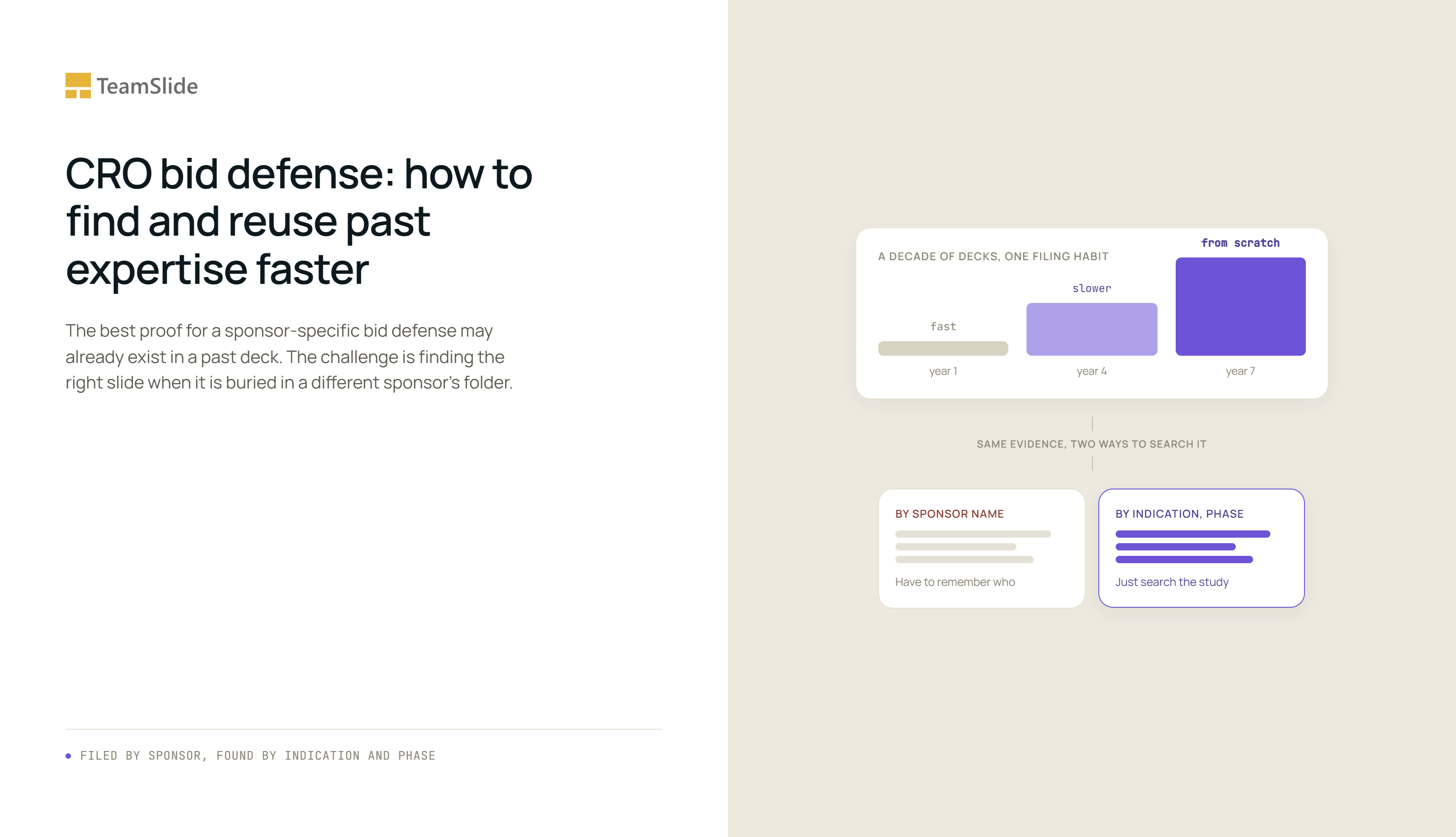
A sponsor's evaluation team wants proof, in the room, that a CRO has actually thought through their specific protocol. The CRO's best evidence of that is usually sitting somewhere already: a slide from a past study in the same indication, run at the same phase, with the enrollment risk already worked through. It is just filed under a different sponsor's name, in a folder nobody thinks to open until someone happens to remember it exists.
That gap matters because bid defenses are not occasional. Around 80 percent of sponsors now outsource some or all of a trial, which means a mid-sized CRO can be walking into one of these meetings every few weeks, each time treating a study with real precedent as if it were the first one. The evaluation isn't simply testing whether the CRO has relevant experience. It is testing how quickly that experience can be turned into an answer about this study, and the answer to that question depends entirely on whether the work is filed to be found.
Sponsors are listening for the study, not the company
Guidance on bid defense meetings consistently points to the same sponsor behavior: steering the conversation toward the specific protocol at hand rather than broad company background, because a canned answer is easy to spot from across the table. A CRO that leads with the same capability slides it used at last month's bid defense, for a different indication and a different phase, is telling the sponsor it hasn't looked closely at their study. The slides that would prove otherwise, a past enrollment risk model for a similar patient population, a site-selection framework built for a comparable phase, usually already exist. Finding them fast enough to build a tailored answer is the actual skill being tested.
This is also why proposal quality correlates so directly with selection outcomes in this industry. Analysis of CRO vendor selection notes that a well-prepared, specific proposal can shorten or even bypass later evaluation stages, while a generic one invites exactly the extended scrutiny a CRO is trying to avoid.
Ten years of decks, one filing habit
Nobody sets out to bury good work. A team finishes a bid defense, saves the deck under the sponsor's name because that's what the folder is already called, and moves on to the next fire. Fine, once. But do that for ten years and finding anything means remembering which of dozens of past sponsors had a study like this one, opening three or four of their old decks to check, and stitching together whatever still holds up. By year seven, building a new bid defense deck takes about as long as writing one from nothing, even though the hard part, the actual thinking, was already done years ago.
What a slide library changes about that structure
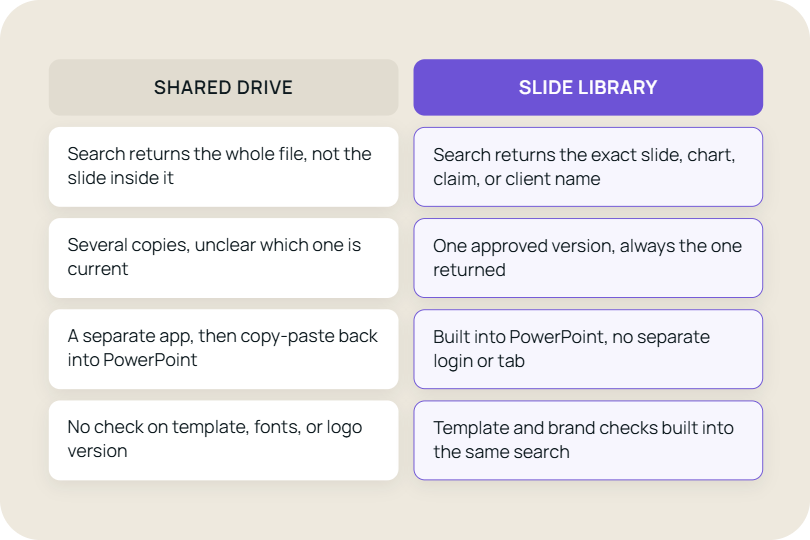
The fix isn't a project to reorganize a decade of SharePoint folders by indication. That kind of project gets proposed at every firm and finished at almost none of them. What actually works is a slide library that connects to SharePoint, Box, or OneDrive exactly as they sit today and gives that same content a second way to be found. Here's what that looks like in practice, not as a pitch, but as few specific things it does.
None of this requires learning a new tool, which is the point. A slide library that sits inside PowerPoint as a single toolbar is the same window a proposal writer already has open at 11pm before a bid defense. There's no separate portal to log into, no browser tab to switch back to mid-deck. Search, preview, and insert happen without leaving the slide currently open, which matters because the moment a workflow requires a second application, most people just go back to copy-pasting from old decks instead.
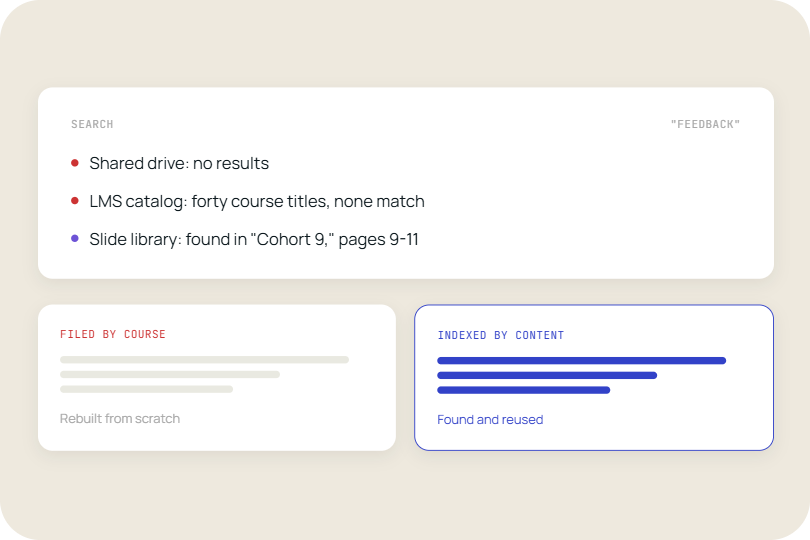
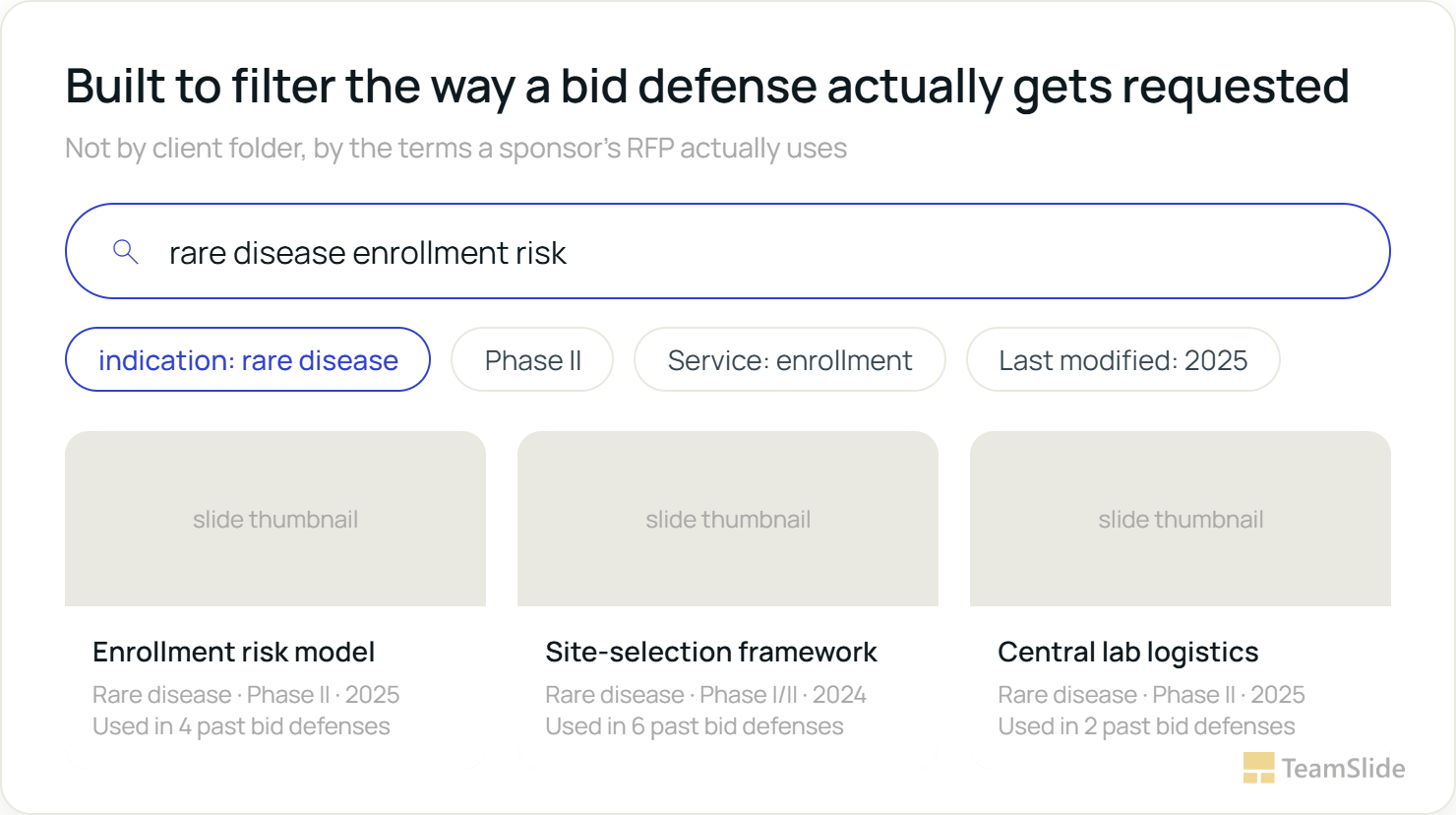
Search works on the text of the slide itself. TeamSlide indexes every slide individually, including text inside tables and diagrams, so a search for a specific indication or risk term returns results even on decks nobody ever tagged. That matters for a decade of legacy bid defenses built before anyone thought to plan for search.
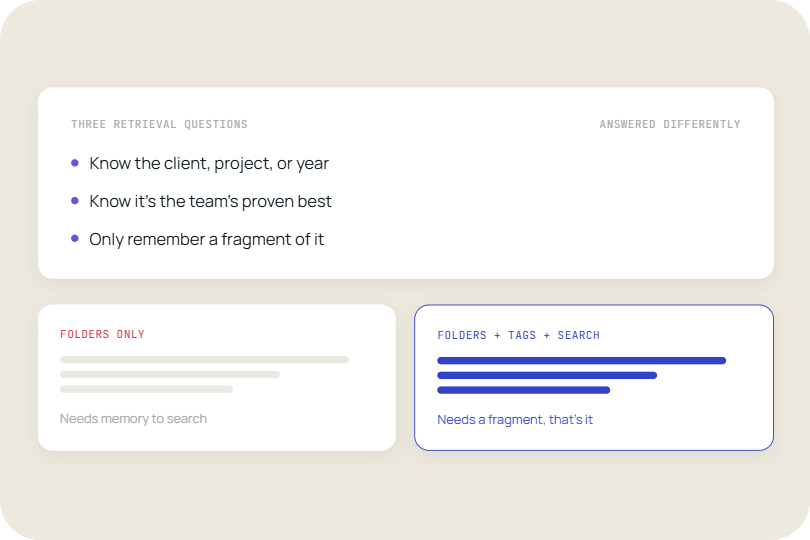
Existing metadata gets pulled in rather than recreated. Where a CRO already tracks an indication or phase column in SharePoint, that metadata carries through into the library automatically and narrows results further. Where no such column exists yet, full-text search still works without it, so a firm is never blocked on doing a tagging project before getting value.
Version control catches drift in the layer that changes slowest. Company overview, leadership, and compliance credentials are the slides most likely to go stale precisely because nobody is actively rewriting them for each bid defense. TeamSlide flags out-of-date slides automatically against the approved source, so the shared foundation of every deck stays current without anyone auditing it by hand.
Setting it up is a one-time connection, not a migration. Pointing a slide library at a CRO's existing SharePoint, Box, or OneDrive site indexes what's already there without moving or renaming a single file. Using it, day to day, looks like this: open PowerPoint, type a term like "rare disease enrollment risk," narrow by indication or phase where those tags exist, and scan the thumbnails that come back. Click the one that fits and it drops into the open deck, already formatted. The search-to-insert loop typically takes less time than opening a single old client folder used to.
This does not need to become a restructuring project
A CRO's proposal team is usually small and already stretched across live bid defenses, which means anything that requires a dedicated owner or a folder migration before it pays off will stall. It doesn't need one. Full-text search means a library is useful from the first sync, before a single slide gets tagged. Whatever indication or phase metadata already exists in SharePoint carries over on its own. The only ongoing input is occasional: glancing at a stale-slide flag, or pinning a handful of the team's best examples so they surface first, both a few minutes of work rather than a standing responsibility. The effect adds up the longer a firm uses it. Every bid defense built this way leaves behind another tagged, current slide in the same searchable base, so what a proposal team is drawing from a year later is deeper than what they started with, without anyone running a separate audit to make that happen. It is a different kind of payoff than most process changes: nothing has to be maintained on top of the normal work of building decks, the normal work of building decks is what keeps the library current.
Every CRO in that room can talk about its capabilities. The one that stands out is the one that can already show the answer, not promise to go find it.
Signs the Filing Habit is Costing Time
1. Building a bid defense deck starts with guessing which past sponsor had a similar study.
2. The company overview or leadership slide in the last deck wasn't the current version.
3. Two proposal writers, asked for the same enrollment-risk slide, would hand back two different decks.
None of that is a symptom of a disorganized team. It is what happens when a decade of genuinely good work gets filed by who asked for it instead of what it proves. The sponsors sitting across the table were never testing whether this CRO had done comparable work before. They were testing how quickly that work could turn into an answer about their study, and that answer was always sitting in a folder somewhere. The only question was whether anyone could find it in time.
See your own bid defense decks searched by indication and phase
TeamSlide connects to a CRO's existing SharePoint, Box, or OneDrive content and makes every past slide searchable by subject, not just by sponsor name, so the next bid defense starts from what already exists instead of a blank deck.
→ Schedule a demo with TeamSlide
Frequently Asked Question
What is a bid defense meeting?
A bid defense meeting is a formal session where a shortlisted CRO presents and defends its proposal to a sponsor's evaluation team after an RFP, typically covering how the CRO will run the specific study rather than general company capabilities. It usually determines which CRO wins the contract.
Why do sponsors distrust generic capability decks in a bid defense?
Because sponsors are specifically listening for evidence the CRO understands their protocol, not their company history, and a deck that recites the same capability slides used in other bid defenses signals the opposite. Sponsors are advised to steer questions toward study-specific detail precisely to surface this gap.
How should a CRO organize bid defense content instead of by client?
Organizing by indication, phase, and the specific service or risk a slide addresses makes past work findable by what a new sponsor is actually asking about, rather than requiring someone to remember which past sponsor's folder it lives in. The underlying files in SharePoint or Box do not need to move for this to work.
Does adding a slide library mean migrating away from SharePoint or Box?
No. A slide library connects to SharePoint, Box, or OneDrive as they already exist and adds full-text, slide-level search on top, without requiring any files to move or folders to be renamed.
Can a slide library help with the sponsor-specific parts of a bid defense, or only the reusable parts?
It's built for the reusable parts, indication and phase content, company and compliance slides, since those are what a library can index and version-control. The sponsor-specific protocol details still get written for that study, but starting from an accurate, current base rather than from scratch.
Does someone need to be assigned to keep a CRO's slide library updated?
Not as a standing job. Full-text search works without manual tagging, existing SharePoint metadata carries over automatically, and version control flags stale slides on its own, so the remaining human input is occasional rather than a dedicated role.
Can AI slide generation help build bid defense decks for CROs?
It can help draft the sponsor-specific layer once the reusable indication and phase content beneath it is accurate and findable. Generation without an organized library underneath it just produces a faster way to write a slide that still has to be manually verified against the CRO's real, approved content.


More from our blog
Discover insights and strategies for better presentations