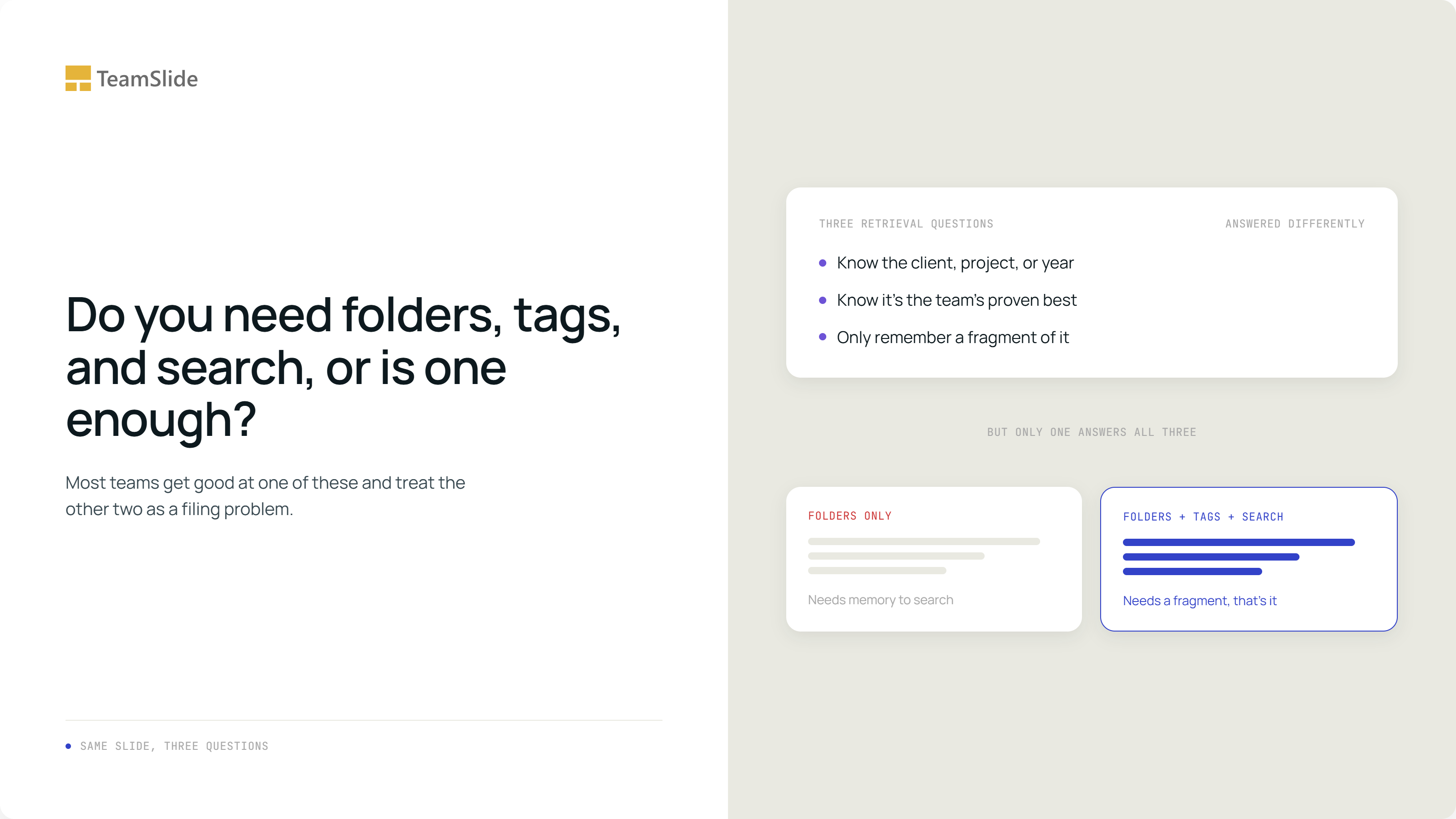
Do you need folders, tags, and search, or is one enough?
Someone needs a slide. They don't know which client it was built for, and it isn't one of the handful the team keeps bookmarked. All they have is a fragment, something about enrollment risk in a rare disease study, maybe the shape of a chart. A well-organized set of folders does nothing for this person, not because the folders are wrong, but because folders were never built to answer this particular question. Most teams treat that gap as a filing problem and respond by trying to build better folders. The folders were never the issue. What's actually missing is a tool, often two.
Folders, tags, and search were never competing
The scale of the gap is bigger than most teams assume. A survey of 1,000 U.S. office professionals, conducted by Wakefield Research on behalf of Elastic, found that a third of respondents frequently struggle to find the right document whenever someone actually asks for it, and 81 percent have been caught flat-footed hunting for a file with a client or a boss waiting. Folder browsing alone was never going to close that gap, because it only solves the version of the problem where you already know which folder to open.
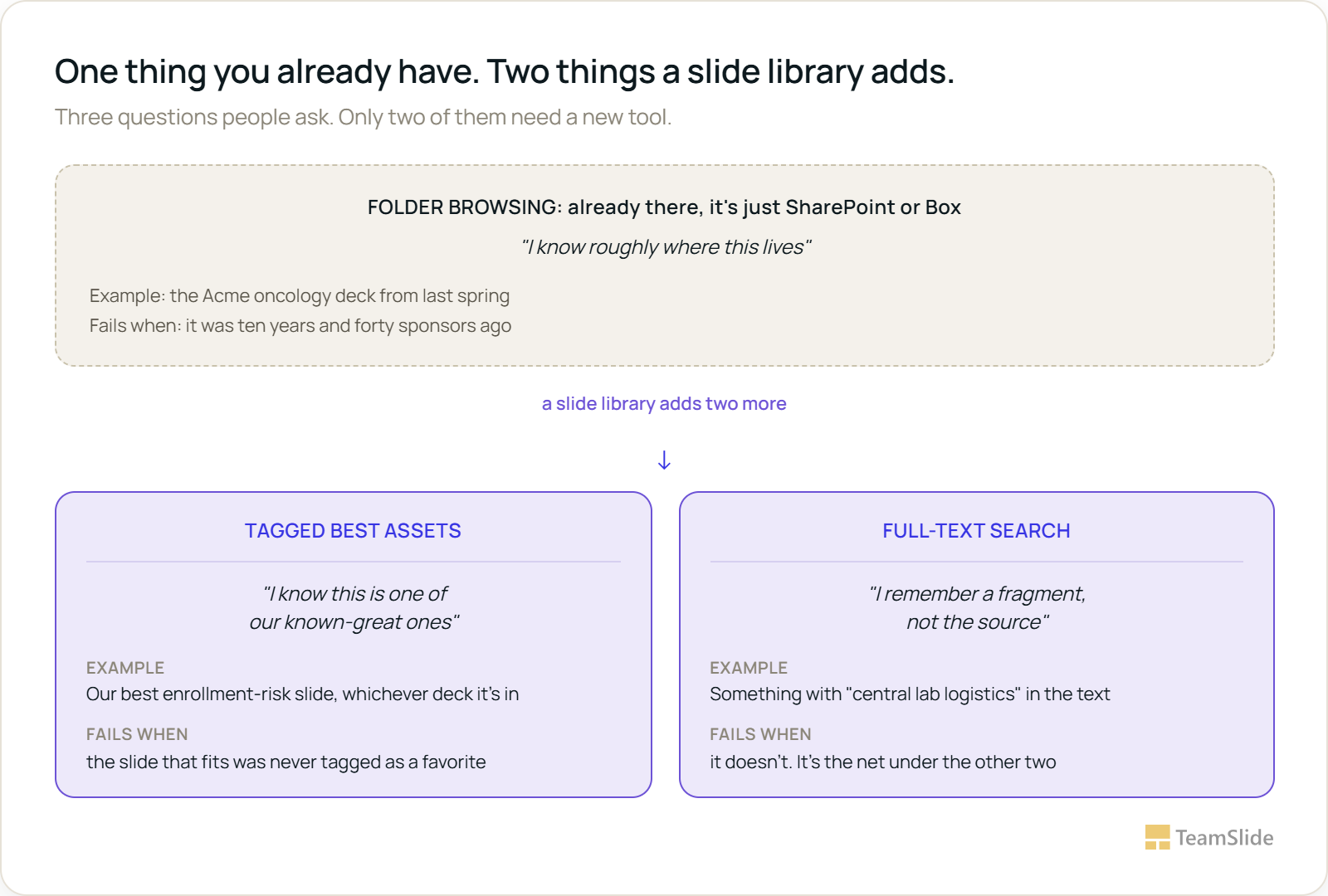
Real tools built around slide retrieval treat the other two needs as separate, deliberately built features rather than settings on the same search bar. TeamSlide's search reads the actual text inside a slide, tables and speaker notes included, not just the file name of the deck it sits in, so it works from a fragment, a phrase, a number, without requiring anyone to remember the source deck first. Tagging solves a different problem: pinning the team's known-best examples so they surface before anything else, which is why it exists as its own named feature rather than a byproduct of search. Folder browsing, full-text search, and tagging aren't three attempts at the same job. They're three different jobs.
Worth flagging up front what this piece is and isn't about. A slide library also typically handles version control and access permissions, which is a separate discussion with its own tradeoffs. This one is narrower: just the three ways people actually try to find a slide, and why folder browsing was only ever built to answer one of them.
Each does a different job here. Folder browsing already exists the moment a firm has SharePoint or Box, no new tool required, it's just how the storage is organized today. The other two don't exist by default. Nothing about a plain file system tags a slide as one of the team's known-best examples, and nothing about it reads the words on a slide to support a fragment-based search. That's specifically what a slide library adds: not a fourth way to browse, but the two retrieval tools a firm's existing folders were never going to grow on their own.
Which one wins depends on what you already know
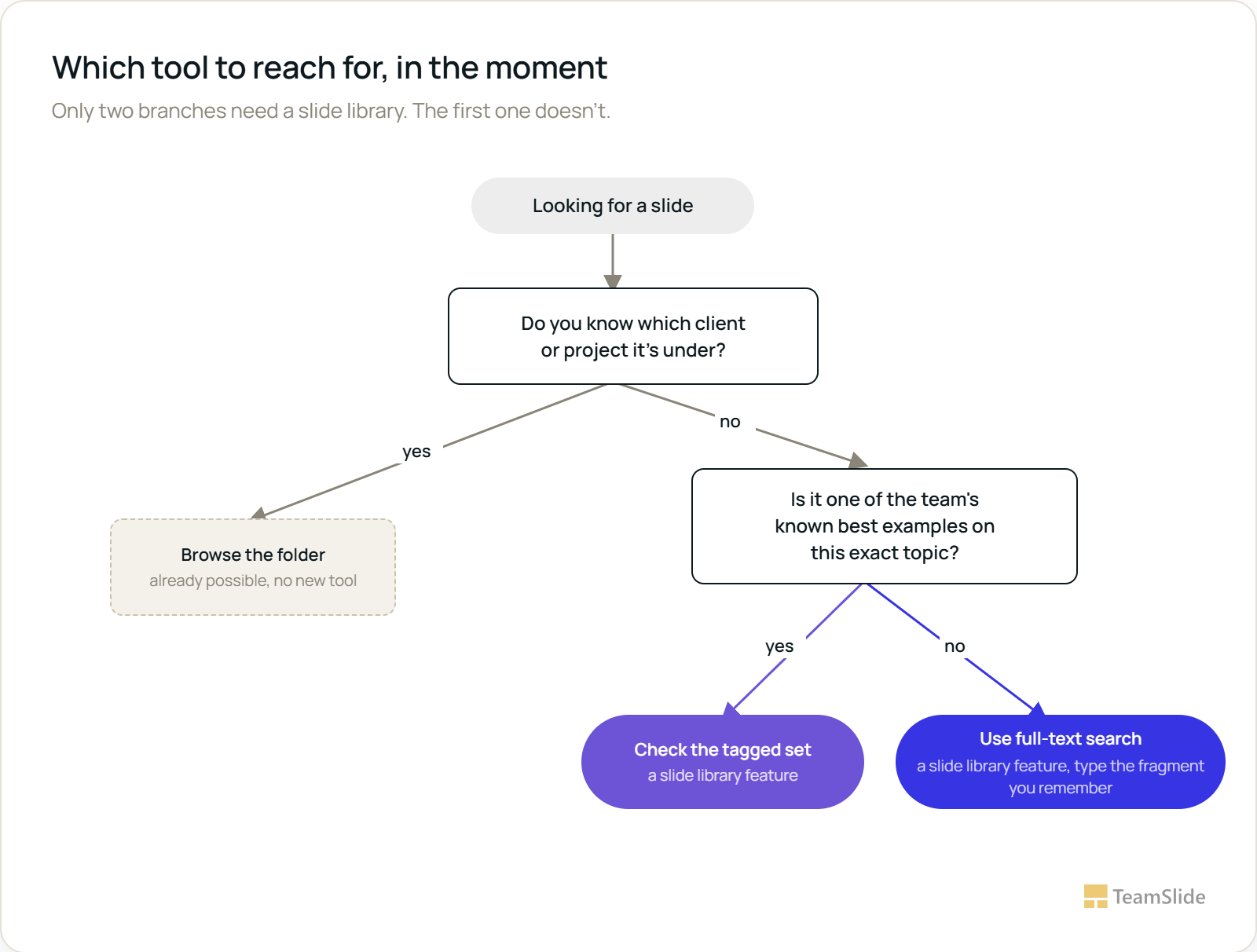
The choice isn't which tool is best. It's which question you're actually asking in the moment. If you know the client, the project, or the year, a folder gets you there in one click and nothing else needs to happen. If you don't know the source but you know the slide is one of the team's proven best on this exact topic, a tagged set gets you there faster than search would, because someone already did the quality filtering for you. If neither of those is true, if all you've got is a fragment of a phrase or a number you half-remember, full-text search is the only tool built for that job, and it's the one worth having as the default fallback underneath the other two.
Folders alone stop scaling long before anyone notices
The gap shows up hardest in industries where decks are dense, technical, and filed under a client name by default. Contract research organizations, for instance, sit through frequent bid defense meetings, evaluation sessions where a sponsor's team wants study-specific evidence, not general capability slides, and with roughly 80 percent of sponsors now outsourcing some or all of a trial, that evidence gets requested constantly. A folder-only setup forces every one of those requests through memory alone: someone has to already remember which past sponsor had a similar study before they can even start looking. Add a tagged set of proven risk-mitigation slides and a full-text search across the whole decade of past decks, and the same request stops depending on anyone's memory.
None of this requires touching the folders you already have
The folder structure stays exactly as it is. That part was never the problem, and reorganizing it is the kind of project that gets proposed and never finished. The other two tools sit on top of it, and both are lighter to add than they sound. A tagged set doesn't need to cover everything, a small, deliberately curated handful of known-best slides per recurring topic is enough to make the tags useful, and it stays small on purpose. Full-text search doesn't need tags or folders to be perfect first, since it reads the words already on every slide, which means it works on day one, including on the decade of decks nobody ever got around to organizing.
Worth noting: none of what a slide library adds is folder browsing, since that part is just SharePoint or Box working as it always has. One product page lists what it does add as three separate, named capabilities, search all text, pin and tag key slides, and filter to narrow in, rather than as one feature with three names. A user review of the same tool describes reaching for the tagging function constantly alongside search, which is what it looks like when a team has both new tools working alongside the folders it never had to touch.
A folder answers the question you already know how to ask. A slide library exists for the two you don't.
See folders, tags, and search working together
A slide library connects to a firm's existing folders exactly as they are, adds tagging for known-best content, and indexes every slide's text for full-text search, so none of the three retrieval questions goes unanswered.
→ Schedule a demo with TeamSlide
FAQs
Isn't a well-organized folder structure enough on its own?
It's enough when you already know which client, project, or year to look under. It doesn't help when you can only partly remember a slide and not its source, or when you need to surface a known-best example without remembering where it lives, which is why folders alone tend to feel insufficient even when they're well maintained.
How many slides should actually get tagged?
Far fewer than people assume. Tagging works because it signals quality, a small, deliberately chosen set of known-best slides per recurring topic. Tagging everything defeats the purpose, since a tag that applies to half the repository stops meaning anything.
Does adding full-text search make tagging unnecessary?
No, they solve different problems. Search finds anything that matches the words on a slide, including things that are mediocre or outdated. Tags exist specifically to surface the slides someone has already vouched for, which search alone can't distinguish.
Do we need to reorganize our existing folders before adding tags or search?
No. Both sit on top of an existing folder structure without requiring it to change, move, or get renamed first. Full-text search in particular works immediately because it reads the content already on each slide.
Can a small team realistically maintain tags and search without dedicated headcount?
Search doesn't need maintenance beyond staying connected to wherever the content lives, since it reads text directly. Tags need only occasional curation, adding a new best example or retiring an outdated one, which is a few minutes of work rather than a role.
What's the actual difference between browsing and searching?
Browsing (folders) assumes you know the destination and just need a path to it. Searching assumes you know a detail about the content itself, a word, a number, a phrase, but not where it lives. They're solving opposite problems, which is why a repository needs both rather than a better version of one.



More from our blog
Discover insights and strategies for better presentations