Training Content Management: Why L&D Teams Keep Rebuilding Existing Content
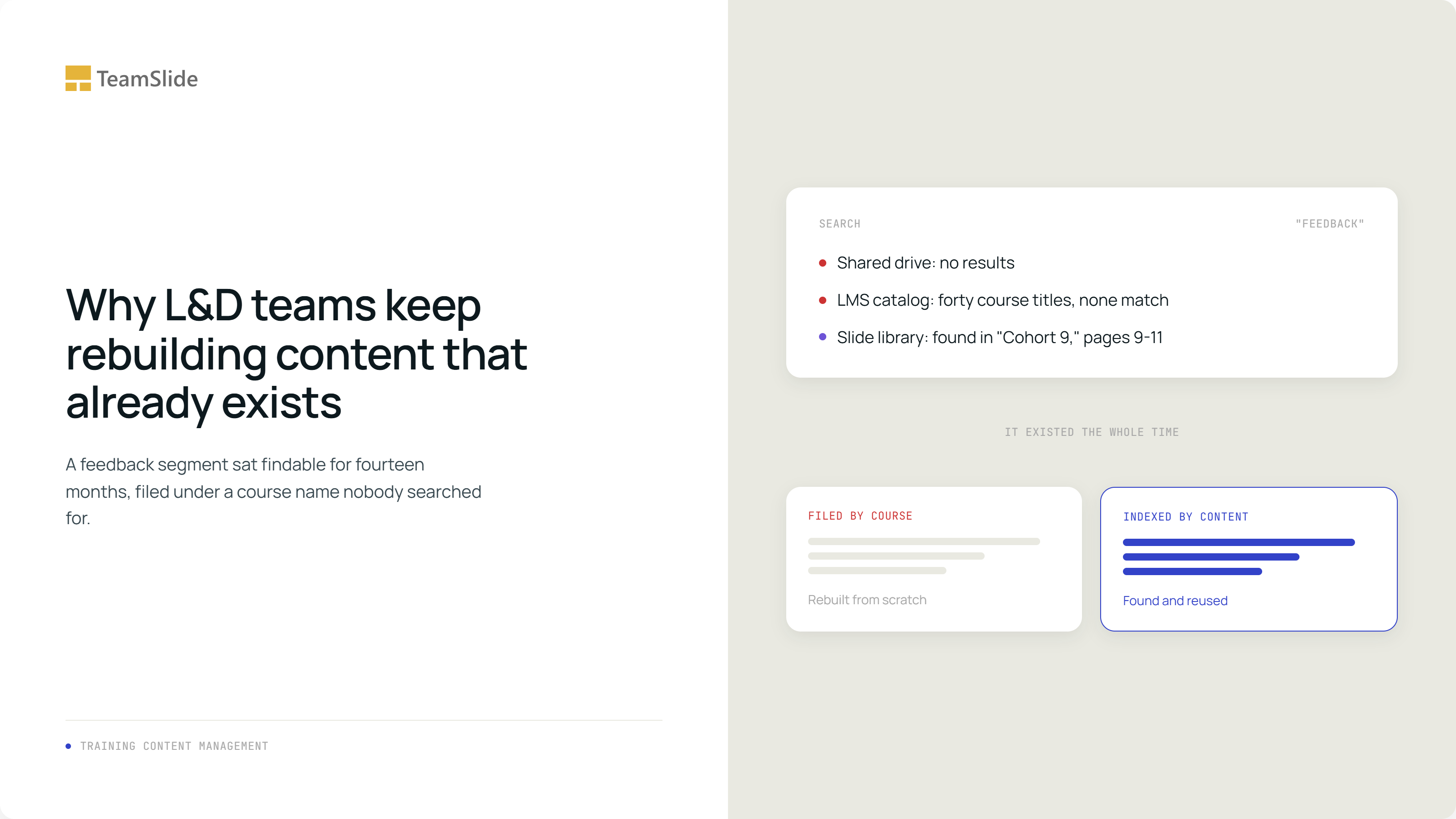
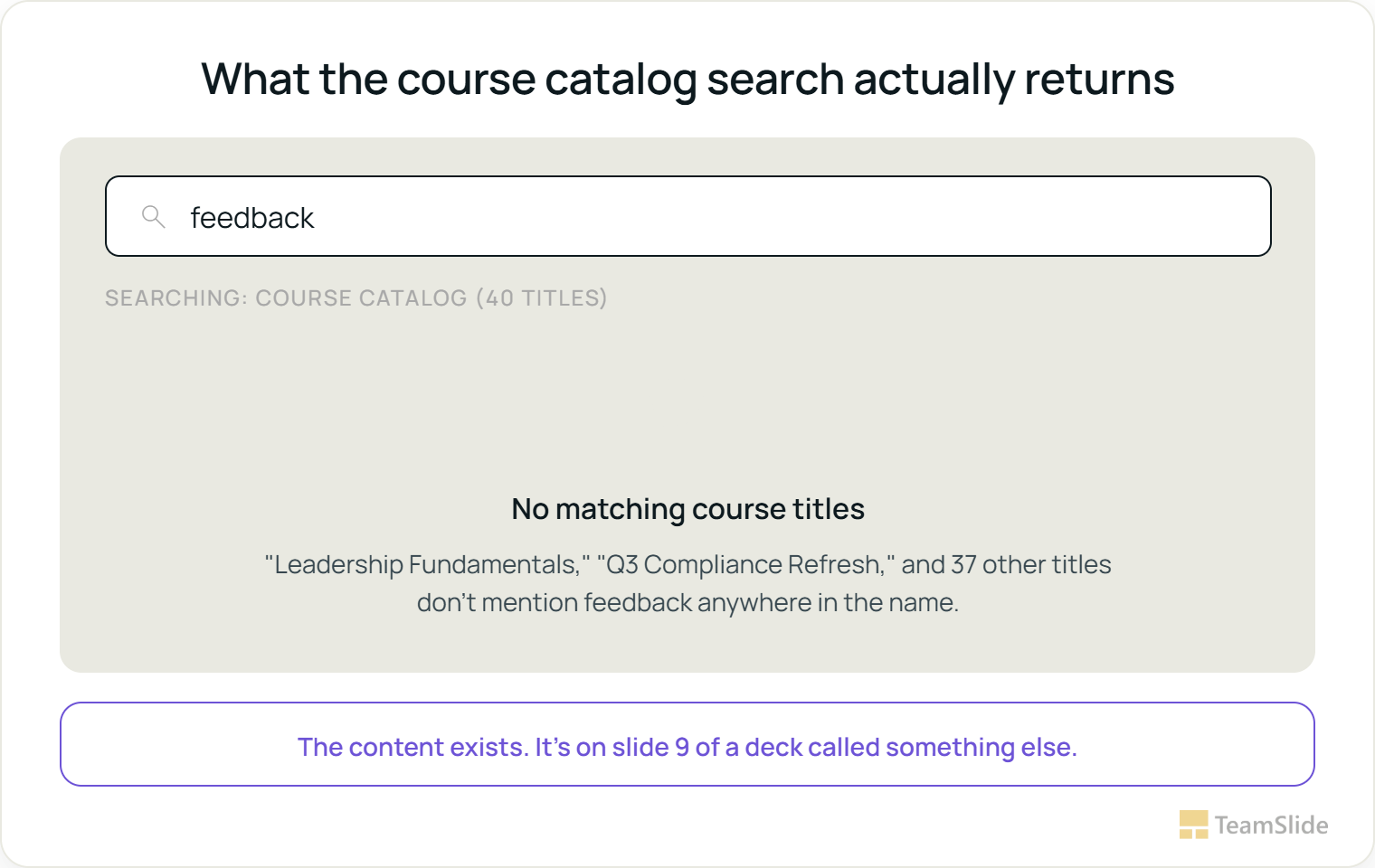
An instructional designer opens a request: a people manager needs something on giving difficult feedback before a round of performance reviews next month. She searches the shared drive for "feedback" and gets nothing usable. She searches the LMS course catalog and scrolls past forty course titles, none of which mention feedback in the name. Two hours later she starts building new slides from scratch.
Fourteen months earlier, a different instructional designer built almost exactly those three slides, buried on pages nine through eleven of a new-manager onboarding deck called 'Leadership Fundamentals Cohort 9.' Nobody has opened that deck since the cohort finished. Nothing about the current request failed, exactly, those three slides simply couldn't be found, because the thing that got filed was a forty-slide course under a course name and a cohort number, and the thing being searched for was a handful of slides on one specific skill.
The request and the archive speak different languages
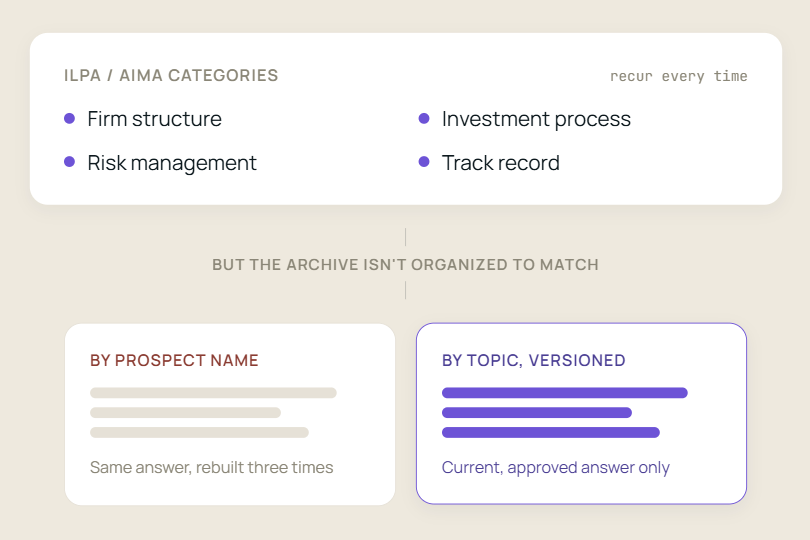
A new training need almost never asks for a course by name. It asks for a skill, a policy area, or a competency: something on active listening, the current version of the harassment policy module, an update on objection handling for a newly hired sales cohort. But the library answering that request is organized by course title, cohort number, or delivery date, the categories that made sense on the day the content was built, not the categories someone will search by two years later.
The root cause here isn't unique to training content. It's a specific case of what we call content debt, the cost of filing content by who built it and when instead of what it actually contains. In L&D, that shows up as courses and cohorts standing in for the client name or project folder, but the underlying failure is the same: a deck's usefulness gets locked to whoever happens to remember building it.
The imbalance shows up in how time actually gets spent
This shows up in the data too. A 2024 survey of more than 400 learning design professionals, conducted with learning scientist Dr. Philippa Hardman, found that instructional designers spend roughly twice as much time building new courses as updating existing ones, a 66 to 34 split. Some of that gap reflects genuinely new content needs. A meaningful share of it reflects content nobody could find, so a new build was the only visible option.
The deeper problem is that most teams cannot actually answer the question of what they already have. As one industry piece on learning content audits puts it, most organizations have built up years of learning content, and very few can tell you what is actually inside it. Training Industry's own research estimates organizations spent $184.9 billion on corporate training in 2024, the majority of it on internal development, which is exactly the spend that goes toward rebuilding content a search should have surfaced.
Most organizations have years of training content. Very few can say what's actually in it.
The dollar cost is documented too. A 2026 survey covered by Training Magazine found that 78 percent of L&D leaders admit at least 10 percent of their budget is wasted on ineffective or unused content, and more than half report losses as high as 25 percent. The same piece notes that a good portion of leaders spend nearly half a day each week just managing an unwieldy content library, time spent wrangling the catalog instead of designing anything new.
Letting old content linger costs more than time
Training content that quietly survives past its shelf life carries real cost beyond wasted rebuild time. A learning platform cluttered with duplicate and outdated decks pushes learners toward dead ends, and once a learner hits enough of those, they stop trusting the library and stop searching it at all, which undercuts the entire reason the library exists.
Some of what goes stale carries direct compliance weight. Training material that no longer reflects current policy or regulation is not just an awkward slide, it is the kind of gap that shows up during an audit or, worse, during an actual incident. Other staleness is more visible but no less damaging to credibility: a module still featuring a departed executive, a discontinued product, or a policy that changed eighteen months ago reads to a learner as evidence that nobody is minding the material they were just told to trust.
The manual fix is real but it is temporary
There is a credible way to do this by hand. A learning content audit generally runs in four stages: scan the full library to see what actually exists, read what is inside each asset rather than trusting the filename, interpret what to keep, retire, or update, and act by mapping the surviving content to the skills it actually teaches rather than the course it was originally built for.
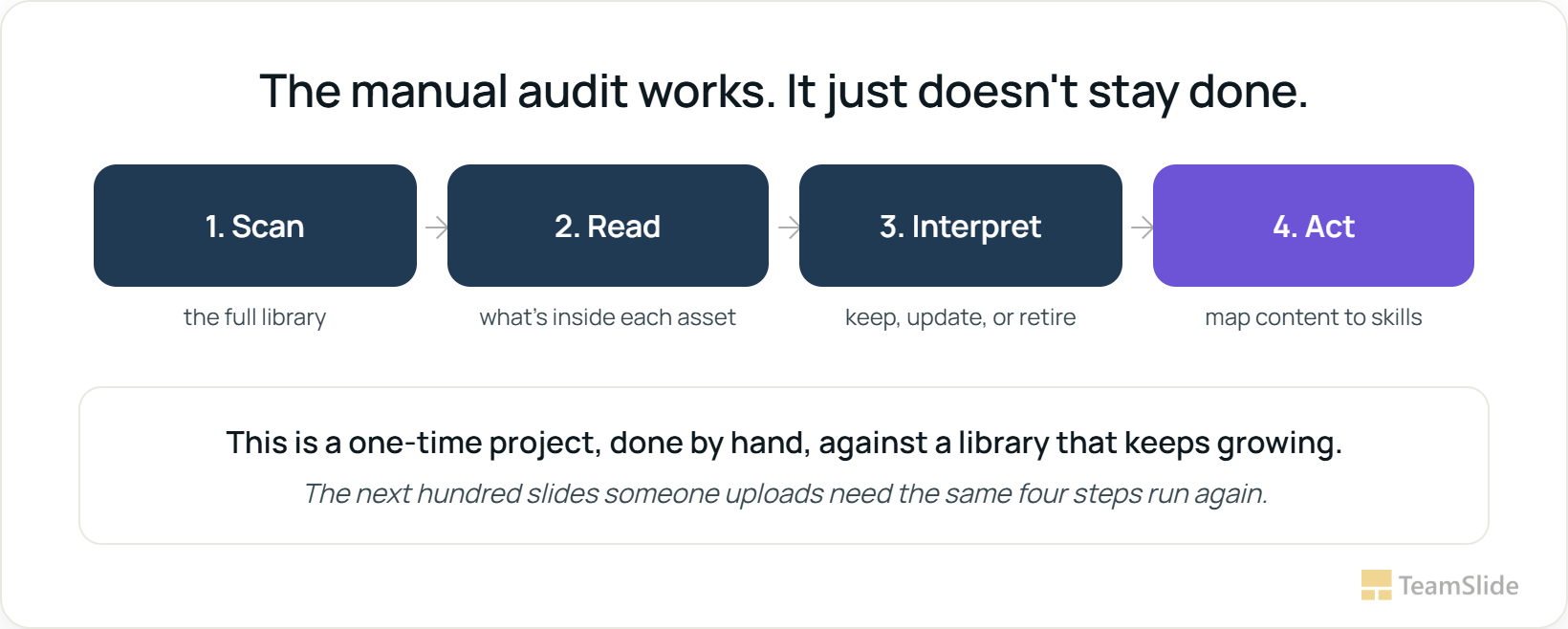
The honest limitation is durability. A team that runs this audit gets an accurate, skill-mapped view of its library on the day the audit finishes. The next quarter's new hires, the next policy update, the next hundred slides someone uploads to the shared drive all arrive filed the old way again, by course and cohort, because that is still how the systems around the content default to organizing it. Without something enforcing the skill-based structure going forward, the audit becomes a photograph of a repository that keeps moving.
A taxonomy project buys time, not a fix
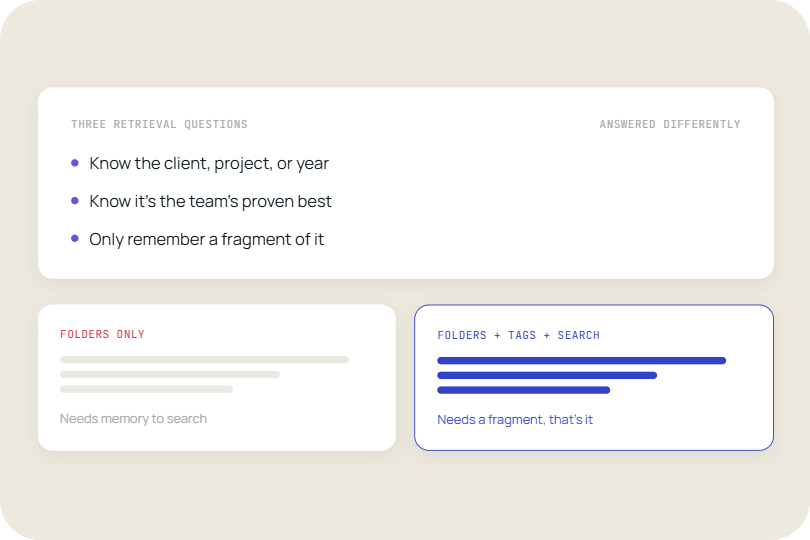
A natural next step is a tagging or naming-convention project: rename the courses, add a skills taxonomy to the LMS metadata, ask every instructional designer to tag consistently going forward. This helps for exactly as long as everyone tags consistently, which in practice means it degrades the moment a new hire, a contractor, or a rushed deadline produces one deck that skips the convention. The underlying problem isn't a lack of taxonomy. It's that finding a slide still depends on someone having correctly predicted, months or years earlier, every term a future colleague might search for.
Our own reporting on this covers the mechanics in more depth: a search layer that reads the content already sitting in SharePoint or another content system gets around the tagging-discipline problem, since it indexes what's actually on each slide rather than depending on someone having tagged or renamed the file correctly beforehand.
This is where a slide library earns its place
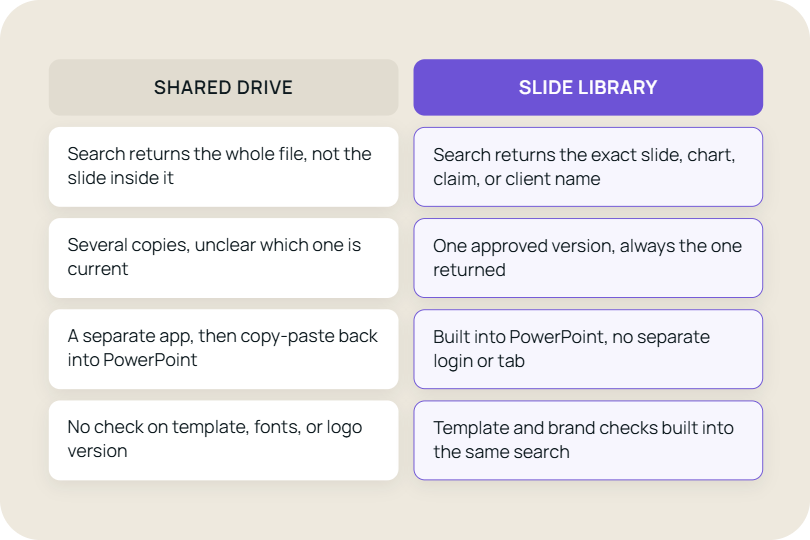
The audit method still does the deciding. What was missing was a search layer that keeps those decisions retrievable as the slides continue to grow. Run that same search, "feedback," against a slide library that indexes the actual text on each slide instead of the course title it lives under, and the result changes completely. The segment buried inside "Leadership Fundamentals Cohort 9" surfaces directly, because the match runs on what the slide says, not on what the deck around it happens to be called or which year it was built.
The same indexing addresses the staleness problem directly. A version-controlled library flags a slide once its content goes out of date, so a policy module doesn't quietly keep circulating eighteen months after the policy changed, the same discipline that matters most for compliance and harassment-policy content specifically, where the gap between what the slide says and what the policy actually is can become a real liability the moment someone notices.
None of this replaces instructional design judgment. Deciding how to sequence a module, which examples land with a given audience, how much depth a leadership cohort needs versus a frontline onboarding group, that is still a person's call. What changes is that the call gets made with the right existing material in front of them, instead of being made twice because the first version was never found.
The feedback segment the instructional designer needed was fourteen months old, sitting inside a deck called "Leadership Fundamentals Cohort 9," one search away if the search had run on what the slide actually said instead of what the course was called.
Find the module instead of rebuilding it
TeamSlide indexes a team's existing training decks at the slide level, so a segment on feedback, conflict resolution, or policy compliance is findable by what it actually teaches, not by which course or cohort it was originally built for. It connects directly to the content systems your team already uses so nothing needs re-tagging or migrating first.
Frequently Asked Questions
Isn't this just a tagging or taxonomy problem we could fix internally?
A taxonomy project helps for as long as every contributor tags consistently, which tends to break down within a quarter as new content gets added under deadline pressure. A library that searches the actual slide content sidesteps the dependency on someone tagging correctly in the first place.
Does this replace the learning content audit process?
No. The scan, read, interpret, act framework is still the right way to make deliberate keep, retire, or update decisions about existing content. A searchable slide library helps keep what you found in that audit findable as the library grows, while version control helps identify older versions of slides and keep track of which version should be used. Together, they make the audit an ongoing process rather than a one-time snapshot.
How does this help with compliance training specifically?
Version control flags a compliance or policy slide once the underlying policy changes, rather than leaving an outdated module circulating until someone notices during an audit. It supports the review process; it doesn't replace legal or compliance sign-off.
Do instructional designers need to re-tag or reorganize existing content before this works?
No. TeamSlide indexes the text already on each slide, so existing decks become searchable without anyone renaming files or rebuilding a taxonomy first.
Will this integrate with our existing LMS?
TeamSlide connects to the content systems a team already uses, such as SharePoint, OneDrive, Box, or Google Drive, to index the underlying PowerPoint files. It works alongside an LMS rather than replacing it, since the LMS handles delivery and tracking while the library handles finding the right source slide before a deck is built.
What's the actual time cost of not fixing this?
Surveyed L&D leaders report that at least 10 percent of their budget goes to ineffective or unused content, with over half reporting losses as high as 25 percent, and many spend close to half a day a week just managing an unwieldy library. Most of that is retrieval time, not design time.



More from our blog
Discover insights and strategies for better presentations