
You need the competitive differentiation slide your colleague updated last week. You check the shared drive, search your inbox, and ping the marketing channel. Forty minutes later, you are still looking for it and end up rebuilding the slide from a version that turns out to be six months old.
For many enterprise sales teams, this is not unusual. The content often exists somewhere, but finding the right version, checking whether it is still current, and getting it into a presentation can take more time than it should. That becomes more difficult as the team grows, new products are introduced, and different regions start creating their own variations.
A Forrester report on sales content found that 65% of the content marketing creates goes unused, often because it is outdated or difficult to use. McKinsey Global Institute has also estimated that interaction workers, a group that includes salespeople, spend about 19% of their time tracking down information. The issue for many sales teams is not that they lack content. It is that the content is difficult to find, verify, and use when it is needed.
Here are five areas where this tends to become a problem, along with some signs that a team may have outgrown shared folders as its main way of managing presentation content.
Most enterprise sales teams have some form of master presentation. It has usually been built carefully, reviewed by marketing, and distributed to the wider team, but once people start using it, copies begin to appear in different places.
A regional rep might save a version for a particular customer, another rep may change a few slides for a different industry, and someone else may download the deck and keep it on their laptop. After a while, there can be several versions of the same slide in circulation, and it becomes difficult to know which one should actually be used.
This is often less about people being careless and more about how shared files work. Once someone downloads a presentation, the central file has little control over what happens to that copy. If pricing, product information, messaging, or branding changes later, there is no guarantee that everyone will replace the version they already have.
A presentation manager with a single source of truth addresses that problem at the source. When marketing updates a slide, reps who pull it from the library can work from the current version instead of relying on whichever file happens to be saved locally.
See how TeamSlide's automated version control works in practice.
Consider a new account executive joining a 200-person sales organisation. Their manager points them to a SharePoint folder containing 1,400 files, with no clear taxonomy, limited metadata, and no obvious indication of which presentation is current for a particular vertical.
For someone who is still learning the company's products, customers, competitors, and messaging, finding the right presentation can become part of the learning curve. They can ask a manager, search through folders, or start rebuilding slides themselves, none of which is a particularly efficient way to get a new rep ready for customer conversations.
A searchable slide library gives them another option. Instead of knowing exactly which presentation or folder contains the information they need, they can search for content by the topic, vertical, competitor, or other relevant terms and insert the appropriate slide into their deck.
That can be especially useful during onboarding, when new reps are still getting familiar with the company's presentation library.
Explore how enterprise sales teams use TeamSlide to speed up rep onboarding.
A single rep using an outdated logo or product name is usually easy to correct. The challenge is keeping the same issue from appearing across dozens of reps, regions, and customer presentations.
The problem is rarely that someone deliberately wants to use the wrong material. More often, people work from the files they already have. An old presentation saved six months ago can still be used today, even if the central marketing team has since changed the messaging or updated the product information.
That matters beyond visual consistency. In regulated industries, an incorrect product claim or outdated term in a sales deck can create real compliance exposure. Even where the risk is less serious, inconsistent presentations can make a company look less coordinated when different prospects receive noticeably different versions of the same message.
Agency-built master decks can give a company a strong starting point, but they do not solve the distribution problem. An agency can deliver the correct presentation, but if a rep is still working from an older copy, the original design work does not prevent the outdated version from being used.
Centralising approved slides makes those updates easier to manage. A new logo, corrected product name, or revised legal line can be updated at the source rather than relying on dozens of local copies being replaced individually.
Read how marketing teams enforce brand compliance in presentations without slowing sales.
For many enterprise sales teams, client-facing presentations need sign-off from product marketing, legal, compliance, or a regional manager. The approval process is necessary, but once presentations start moving through email chains, shared folders, and multiple revisions, it can become difficult to keep track of what was actually approved.
A rep might send a deck for review, receive edits in a tracked-changes file, make some of the requested changes, save another version, and send it back. After a few rounds, it may not be obvious which version was approved or whether something changed after approval.
The risk becomes more serious when a legally sensitive claim or pricing commitment appears in a deck that was not approved. Without a central record, working out who changed what and then finding every copy that needs to be replaced can take considerable effort.
A slide library with permission controls and version history gives the approval process a fixed reference point. Reps can work from the approved version, while changes can be tracked instead of being reconstructed later from email threads and local files.
A pricing change takes effect on the first of the month, so marketing updates the master presentation and sends an all-hands email. Three weeks later, a rep closes a deal using the old pricing because they were working from a copy they had saved earlier.
This can happen whenever reps have to pull updates themselves rather than getting them through the content they already use. It is essentially the same version-control problem described earlier, but the consequences become more serious when pricing, product details, or other commercially important information changes.
The difference between a slide library and a shared folder becomes particularly clear here. With a shared folder, a pricing update can involve changing the master file, notifying the team, asking people to download the new version, and replacing copies they have already saved. Across a large sales team, every part of that process depends on people seeing the update and taking the right action.
With a slide library, the update happens once and the current version is available when reps build new presentations.
Learn more about TeamSlide's slide library and presentation management.
Although these problems show up at different points in the sales process, they all come back to the same underlying issue: content is usually created and approved centrally, while it is actually used across dozens or hundreds of individual presentations.
Once that content is distributed through local files and shared folders, the central team has much less visibility into what people are actually using. Better folder structures and stricter naming conventions can help, but they do not completely solve the distribution problem.
Reps need a way to find current, approved content from the application where they are already building presentations, rather than having to leave PowerPoint and search through multiple sources every time they need a slide.
What is presentation management software? A plain-English guide for enterprise sales leaders.
There is no single team size at which every company suddenly needs presentation management software. The need usually becomes clearer when several of the following problems start appearing at the same time:
If three or more of these apply, the cost is probably already showing up somewhere, whether that is longer ramp times, more errors in client-facing materials, or marketing content that never reaches the point of sale.
Enterprise sales presentation management is ultimately a content distribution problem. Naming conventions and well-organised folder structures can work for a while, but as a team adds products, regions, and more people creating presentations, it becomes harder to keep track of what everyone is actually using.
The goal is not to change how marketing and design teams create presentations. It is to make the approved content easier for sales teams to find and use once it has been created, while keeping the central source up to date.
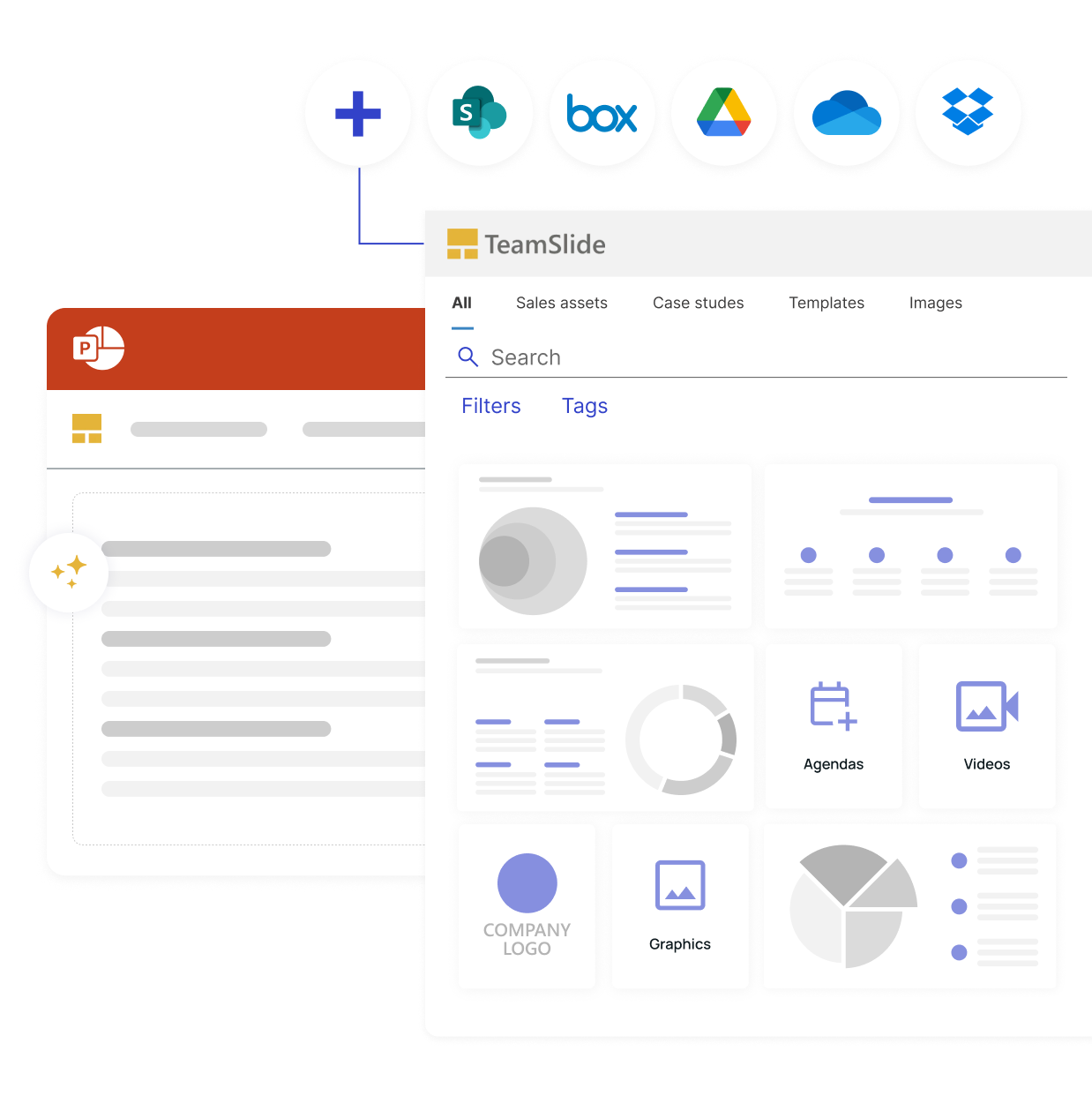
TeamSlide is built for enterprise sales teams that work in PowerPoint. It sits inside the application, so reps can find and insert the right approved slide for a deal stage, vertical, competitor, or other use case without leaving their deck. There is no migration and no completely new workflow to learn.
If your content already lives in SharePoint, OneDrive, Box, Google Drive, Dropbox, or another repository, TeamSlide connects directly so your existing library can be searched without moving the underlying files.
For sales enablement leads managing 30 or more reps, that can mean faster presentation preparation, lower brand and compliance risk, and a better chance that marketing-created content actually gets used in customer conversations.
Book a personalised demo for your sales team and get a clearer picture of how TeamSlide could fit your existing stack and deployment requirements.
It gives sales teams easier access to approved, current content when they build client-facing decks. Instead of relying on every rep to find the right file or apply the latest branding and messaging manually, teams can manage approved content centrally and make those updates available from the same place where presentations are built. That reduces the chance of outdated material continuing to circulate and helps keep presentations more consistent across teams and regions.
A shared drive can store all of your presentations, but it does not necessarily help a rep find the right slide or know whether that slide is still current. Presentation management adds the layer around the content, including search, version control, permissions, approval workflows, and distribution, so the right content is easier to find and use.
Most teams can manage with shared folders while presentation use is relatively simple and content does not change very often. The case for dedicated software becomes stronger when several teams contribute content, presentations need approval, product details change regularly, or brand and compliance requirements need to be managed consistently across regions. Large sales teams and companies with complex product portfolios tend to reach this point sooner because there is simply more content and more people involved.
Sales teams can spend a significant amount of time searching for content, checking whether it is current, and rebuilding slides that already exist somewhere. A presentation management system makes approved content searchable inside the tool where decks are built, which can reduce preparation time and make it easier for new reps to get familiar with the company's content. It also gives marketing a better chance of seeing the content it creates actually make its way into customer conversations.
Search, version control, content governance, approval workflows, and integration with PowerPoint, SharePoint, and OneDrive are all worth considering. Teams should also look at scalability, permission controls, regional content management, and whether the system provides visibility into how presentation content is being used. The most useful solution is one that makes approved content easier to access without forcing people to completely change how they build presentations.
Not with TeamSlide. It connects to SharePoint, OneDrive, Box, Google Drive, Dropbox, and other repositories, and builds a slide-level search index from your existing files. Your files stay where they are, while reps can search and insert slides without leaving PowerPoint.