5 Signs Your Team Is Ready for a Slide Library
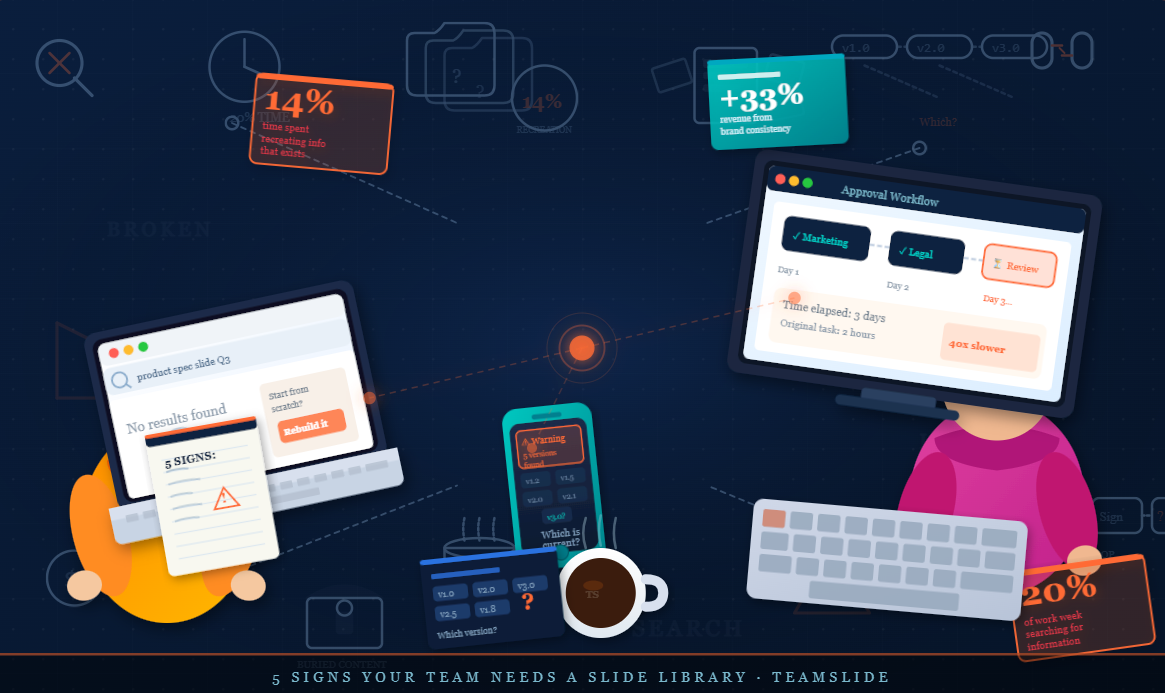
You need the product spec slide from last quarter. You search three shared drives, ping two colleagues, and forty minutes later rebuild it from scratch anyway.
This happens when presentation content is treated as a filing problem rather than a knowledge management problem.
The McKinsey Global Institute’s Social Economy report found that knowledge workers spend close to 20% of their working week searching for internal information or tracking down colleagues. For sales reps hunting for the latest pitch deck, marketers looking for approved campaign assets, and account teams trying to find a proposal built last quarter, a significant share of that lost time comes down to one thing: not being able to find the right slide.
In the early stages of a team, these inefficiencies stay hidden. But they compound. The following five signs indicate that the informal system has started to break down and that a slide library is no longer optional.
1. Search Costs Begin to Exceed Creation Costs
The first warning sign is the one most teams rationalize away: reusing a slide takes longer than building a new one.
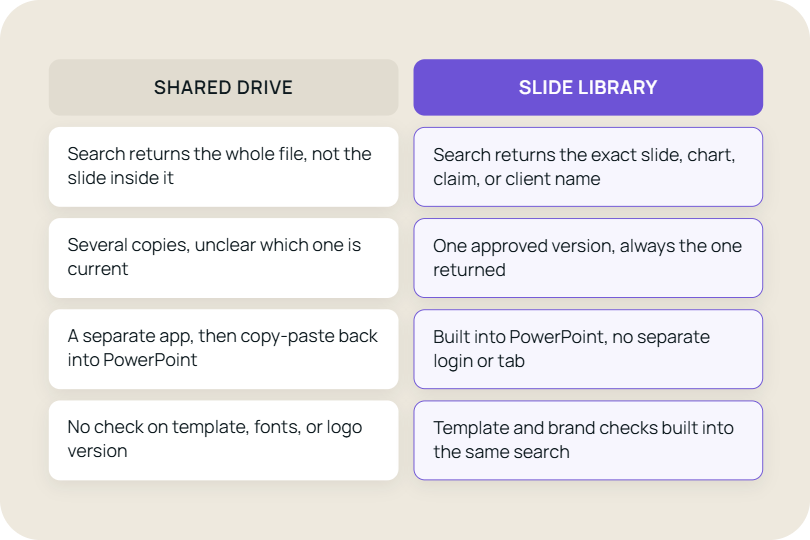
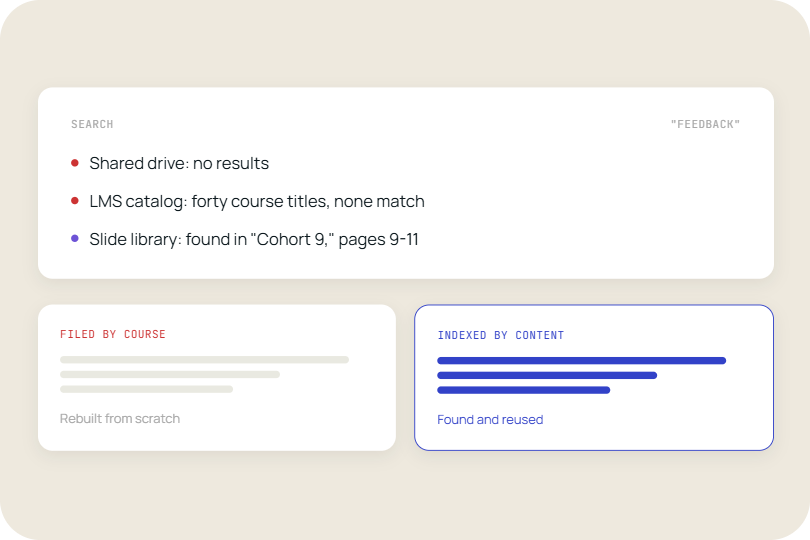
In theory, retrieval should be faster than creation. In practice, slides are buried inside full presentations, organized into folders with inconsistent naming conventions, and distributed across personal drives and shared repositories. Finding the right slide involves opening and scanning multiple decks, often repeating the process several times before giving up.
The productivity cost is real and well-quantified. A Harvard Business Review-published analysis by Bloomfire found that employees spend 14% of their work time recreating information they simply could not find. That 14% figure is particularly striking: it represents time spent rebuilding work that already exists, wasted not because the original was poor, but because the system made it inaccessible.
Once search time approaches or exceeds the time needed to recreate a slide, individuals make the rational choice: they rebuild. This is not laziness. It is a sensible response to a system that has stopped working. But at the organizational level, it means the same slide gets built dozens of times, institutional knowledge accumulates nowhere, and every deck starts from zero.
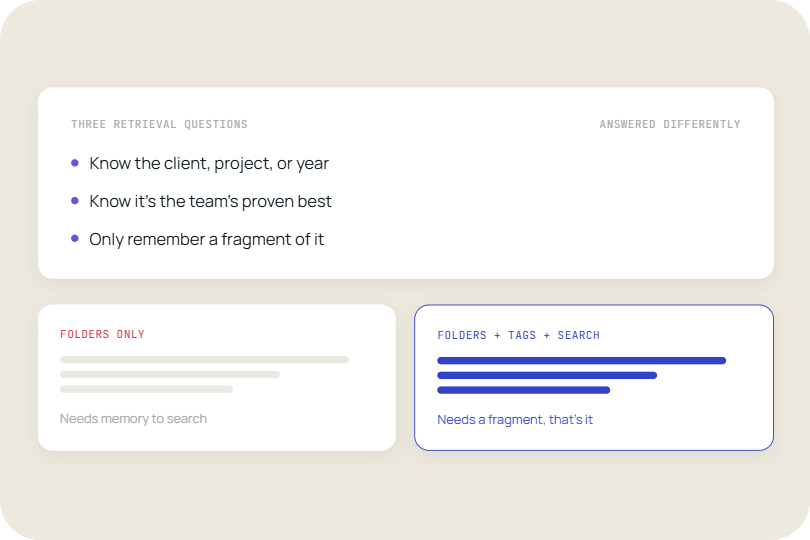
A slide library solves this at the structural level by indexing content at the slide level rather than the deck level, allowing direct retrieval by keyword, tag, or metadata without opening a single full presentation.
2. Every Deck That Goes Out Needs a Sign-Off Chain
When nobody is confident that the slides in circulation are accurate, branded, and approved, the natural response is to add checkpoints. A quick review by the marketing lead. A pass through legal for anything client-facing. A final look from leadership before anything goes to a prospect. Each step exists for a good reason. Taken together, they turn a two-hour task into a three-day process.
This is the hidden cost of unmanaged content. The approval loop is not the problem itself, it is a symptom. Teams build it in because they cannot trust that a slide pulled from a shared drive is the right version. The logo might be outdated. The pricing might have changed. The messaging might predate the last rebrand. Without a reliable source of pre-approved content, every presentation carries risk, and someone has to absorb that risk before it reaches a client.
The slowdown compounds at scale. Sales teams miss response windows because decks are stuck in review. Marketing spends hours checking proposals built by reps who pulled slides from last year’s campaign folder. Enablement teams end up becoming informal QA for content they did not create and cannot fully track. The people doing the reviewing did not sign up to be a content audit function but that is effectively what they become when there is no system managing it upstream.
A slide library removes the need for most of this by making approval happen once, at the source. Slides are reviewed, signed off, and published to the library. When someone pulls a slide from that library, it is already cleared with the right logo, the right messaging, the right version. The review loop does not disappear entirely, but it shrinks to the exception rather than the rule.
3. Content Reliability Begins to Decline
As duplication increases, maintaining content accuracy becomes operationally unmanageable.
Slides frequently carry time-sensitive information:
- Sales decks and proposal templates
- Campaign performance reports and marketing metrics
- Market size estimates and growth projections
- Financial metrics and KPIs
- Strategic priorities and messaging
- Competitive positioning and benchmarks
When multiple versions of the same slide exist, updates reach only the most visible or recently used copies. Slides embedded in older decks, often well-crafted and frequently used as starting points, stay unchanged. The result is a slow, silent degradation of information quality that remains invisible until it surfaces in a client meeting or a leadership review at the worst possible moment.
Brand consistency erodes in parallel. As teams modify slides independently to meet immediate needs, formatting standards, color choices, and typographic conventions drift apart. Decks start to look like they were assembled by different organizations, because in practice, they were.
The revenue consequences of this kind of inconsistency are well-established. A Lucidpress study reported by PRNewswire found that organizations maintaining consistent brand presentation see revenue increases of up to 33% compared to those dealing with brand inconsistency.
Version control in a slide library eliminates the manual update problem. Slides updated at the source push correct, current information forward automatically. The most recent approved version is always what teams find and use.
4. Every Team Is Telling a Different Story
Ask your sales team how they describe the product. Then ask marketing. Then ask the strategy team. Chances are you'll hear three different answers. None of them are wrong exactly, but together they create a problem. When every team builds their own version of the core story, what gets said to a prospect, a client, or a board member depends entirely on who happens to be in the room.
This plays out predictably across functions:
- Sales teams emphasize near-term revenue opportunities and ROI
- Strategy teams focus on long-term positioning and market dynamics
- Marketing teams lead with brand differentiation and awareness
Each framing is internally coherent. The problem is collective inconsistency. A prospect who encounters three different versions of the same value proposition across three touchpoints will not automatically resolve those differences in the organization's favor. A board member receiving conflicting descriptions of the same strategic priority in two consecutive quarterly decks will notice, and will ask questions.
The business impact of this is measurable. G2's branding statistics analysis reports that brands presenting themselves consistently across platforms are three to four times more likely to achieve strong brand visibility. It also notes that inconsistent messaging is among the most commonly cited reasons buyers lose confidence in a vendor mid-consideration. Once trust is lost in that way, it is rarely recovered in the same sales cycle.
A slide library addresses this by providing standardized core slides for the organization's key messages: value propositions, capability overviews, market positioning. Teams remain free to adapt surrounding context for their specific audience. The anchor stays fixed. The story adapts. Everyone delivers a consistent message, even when they tell it in different ways.
5. High-Value Content Becomes Inaccessible
In most organizations, the best work is buried in the largest decks.
Detailed competitive analyses built over weeks. Frameworks refined across multiple client engagements. Visualizations that took a designer two days to get right. This content exists. The problem is that it lives as part of an 80-slide presentation from eighteen months ago, in a folder named after a project that has since wrapped, under a naming convention only the original author remembers.
Finding it requires identifying the relevant deck, navigating through dozens of slides, extracting the right one, and adapting it for a new context. The friction is high enough that most people choose not to try. They build something new instead, and the cycle of duplication continues.
This is a form of knowledge loss that is easy to overlook precisely because the content has not disappeared. It is still technically there. But research from Bloomfire published in HBR found that employees spend 14% of their working time recreating information they could not locate, not because it did not exist, but because the systems in place failed to surface it.
A slide library solves this by decomposing presentations into individually indexed components. Each slide becomes searchable and retrievable on its own merits, independent of the deck it originated in. A competitive analysis becomes a reusable asset. A process diagram becomes a building block. Work that was previously buried becomes something the whole organization can actually build on, and past effort compounds forward rather than depreciating in a folder.
The Structural Shift: From Files to Modular Knowledge
Implementing a slide library is not a tooling change. It is a change in how organizations think about presentations as a category of asset.
When slides are treated as standalone files, every deck is a one-time project. When slides are treated as modular knowledge units, each deck becomes an assembly of reusable components. Creation gets faster. Consistency becomes a default rather than an aspiration. Updates propagate automatically. High-value work compounds in value rather than decaying in a folder.
When the Transition Becomes Necessary
Most organizations implement a slide library reactively, after the inefficiencies have become impossible to ignore. But the signals arrive earlier than that.
If several of the following conditions are present simultaneously, the current system is no longer scaling:
- High search times for existing content, even when the content is known to exist
- Regular recreation of slides that were recently built elsewhere in the organization
- Version inconsistencies that have reached clients or senior stakeholders
- Different teams presenting materially different narratives on core topics
- Valuable work from past engagements sitting unused because it cannot be found
When this is the situation, the question is not whether a slide library would help. The question is how much the current system is costing the organization while the decision is deferred.
Conclusion
Presentation inefficiency is rarely the result of individual behavior. It is a consequence of how content is structured.
When slides are managed inside decks, every new presentation starts from scratch. Search becomes friction, duplication becomes inevitable, and valuable work gradually disappears into archives. Over time, the system stops supporting the team and starts slowing it down.
A slide library changes this at the structural level. By treating slides as modular, reusable assets, it allows teams to retrieve what already exists, maintain a single source of truth, and build on prior work instead of recreating it.
The impact is cumulative. Content becomes easier to find, easier to trust, and easier to reuse. More importantly, it starts to compound. Each piece of work strengthens the system rather than getting lost within it.
For teams where presentations are central to how work gets done, this shift is not just about efficiency. It is about turning content into an asset that scales with the organization.
If your team is beginning to experience these challenges, it may be time to rethink how presentation content is managed.
TeamSlide is built to support this transition. It sits directly inside PowerPoint, giving teams a searchable, slide-level layer that makes existing content easy to find, reuse, and manage without changing how they work. If your content already lives in SharePoint, OneDrive, or another system you rely on, there is no need to move it. TeamSlide connects directly, so your existing library becomes instantly searchable from day one.
Schedule a demo to understand how a slide library can transform existing content into a system that compounds over time.



More from our blog
Discover insights and strategies for better presentations