Consulting firm rolls out critical PowerPoint assets to global staff
“I want to convey our gratitude that your team left an excellent impression. Everyone spoke very highly of TeamSlide!”

"What we really needed and what TeamSlide solved for us was a single point where the latest-and-greatest slides could be found. I highly recommend TeamSlide for anyone looking to access their best content quickly and easily"


About Consulting Co.
*Note: Most business consulting firms do not allow their name to be published. For ease, we refer to the firm as Consulting Co.
Industry: Consulting
Company size: 8,000+ employees
Location: Global, 50+ offices in 20+ countries
Use case: SharePoint integration, templates, analytics
Results that speak for themselves
Employees
allows marketing to have a central hub and sales can find what they need
Global offices
across sales and marketing teams within the first month of rollout
Countries
across sales and marketing teams within the first month of rollout
The challenge they faced
Maintaining consistency and efficiency in presentations across practice areas
Consulting Co., had built many PowerPoint slides to support their different regions and practice areas. These included case studies, sales assets, and detailed templates. These assets, stored in SharePoint, were accessible to all employees.
However, they needed help to achieve adherence and compliance. Finding content in SharePoint took too much work, and staff would find other ways to access content, leading to old slide versions used in client presentations.
In addition, they needed analytics for better visibility into slide usage to drive content investments.
Access to templates
Consulting Co.’s teams rely on a wide variety of templates, including frameworks and common layouts. The lack of a centralized, easy-to-navigate template repository led to inconsistencies in branding and wasted time recreating slides that already existed.
Content lost in deep repositories
Over the years, Consulting Co. had accumulated a vast library of presentations stored across folders in SharePoint. While the content was valuable, it was difficult to locate the right slides quickly. Teams often resorted to searching manually or reaching out to colleagues for help, which disrupted workflows and took additional time.
Struggle to find personal slides
In addition to firmwide content, consultants frequently reuse slides they’ve created or modified themselves. However, locating these personal slides—especially when they weren’t stored centrally—became a challenge. Without an easy way to search across both shared and personal content, consultants spent too much time digging through old files or recreating materials from scratch.
Use case
- SharePoint Integration
- Templates
- Analytics
Empowering consultants with easy slide access
Consulting Co. streamlined access to their best slides by integrating TeamSlide with SharePoint and deploying it across the firm—without disrupting existing workflows.
Easy access
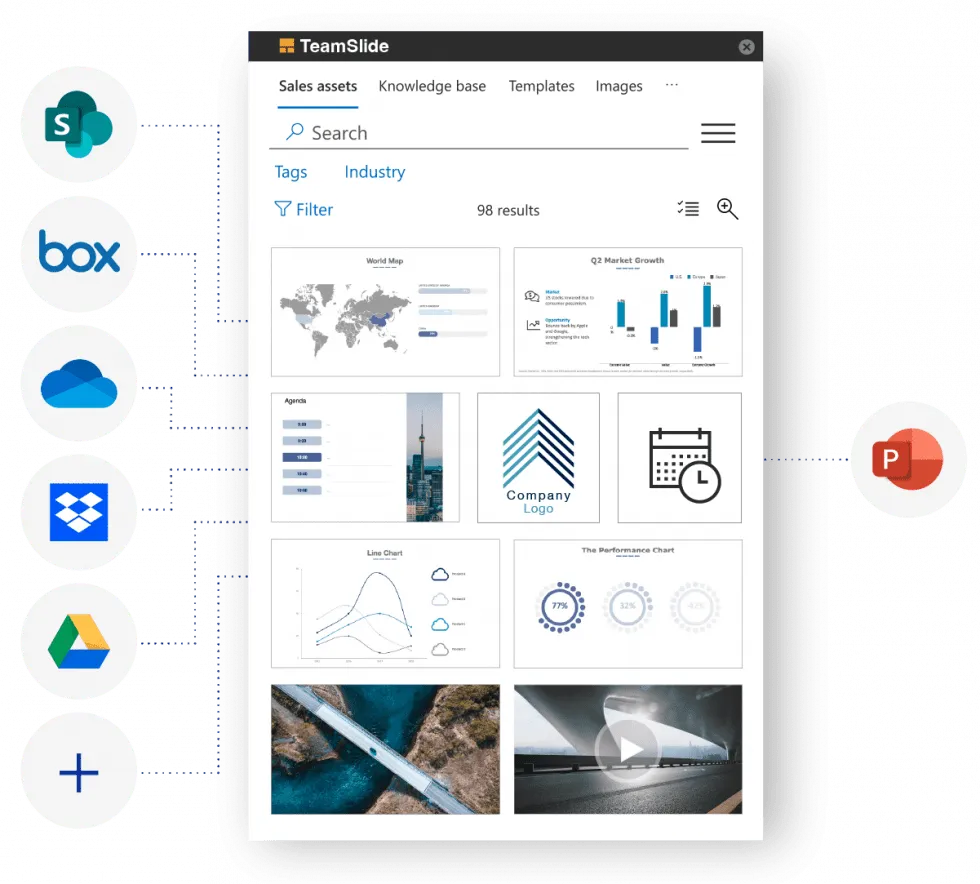
TeamSlide simplified access to all presentations through its PowerPoint add-in without impacting Consulting Co.’s content systems. Every slide is now accessible from inside PowerPoint using the add-in. Users can search, browse, see thumbnails, and insert with a click.
Template management
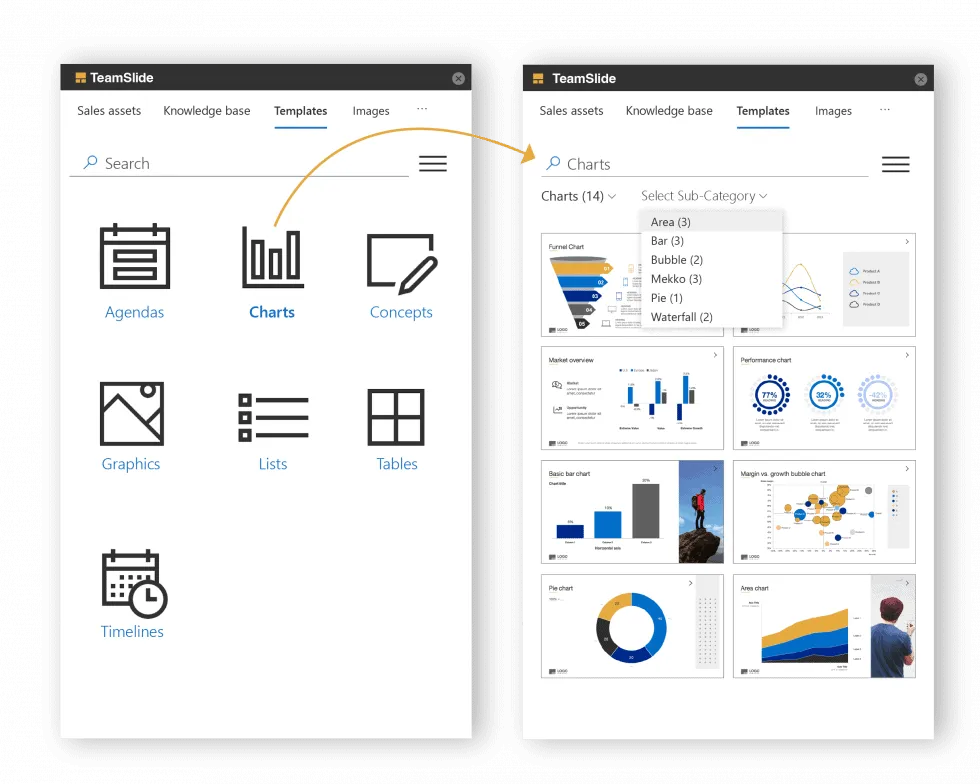
Rather than flipping through many large decks, Templates are organized in categories and accessed in just a few clicks. This keeps the whole firm aligned and on-brand with a centralized location for all templates.
Visibility
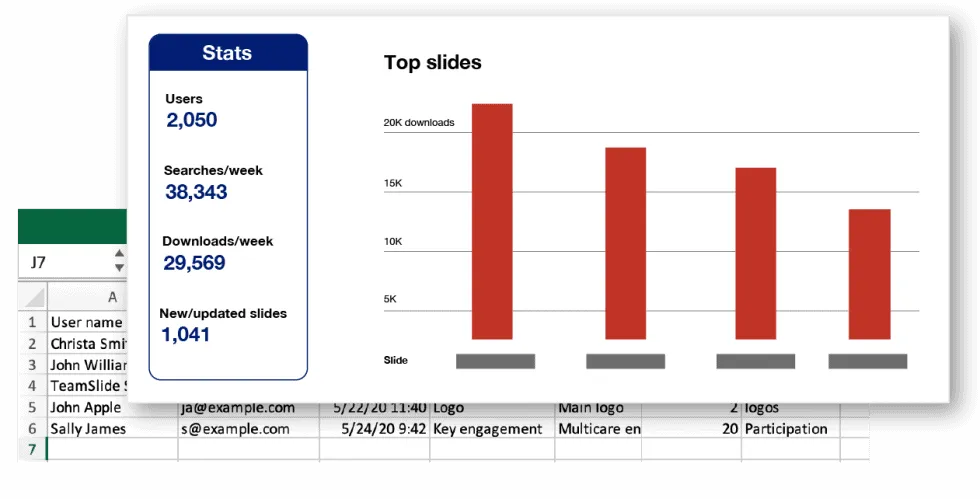
Detailed usage data gives ConsultingCo. clear visibility into the PowerPoint slide library usage. For example, they can determine the most commonly used slides and understand how different geographic regions consume content.
"What we really needed and what TeamSlide solved for us was a single point where the latest-and-greatest slides could be found. I highly recommend TeamSlide for anyone looking to access their best content quickly and easily"

The results
Improved content visibility and stronger brand alignment
With TeamSlide, Consulting Co. has streamlined slide access across the firm. Consultants can now quickly find the latest, approved content—right within PowerPoint—saving time and reducing outdated slide content. Integration with SharePoint ensures a single source of truth, keeping content aligned and consistent.
The use of Boards has made it easier for teams to navigate content by use case, and the silent rollout with single sign-on allowed for fast, low-friction adoption. Backed by TeamSlide’s expert support, Consulting Co. has strengthened its presentation workflows—boosting efficiency, brand consistency, and overall alignment.
Don't take our word for it
Learn more about TeamSlide’s impact on Consulting Co.
“We needed a solution that fit seamlessly into our existing workflow and could scale across a global team of consultants. TeamSlide stood out because of its PowerPoint and SharePoint integration, and highly customizable interface. Unlike other platforms, it didn’t require changing how we store or manage files—just enhanced how we access them.”
“The implementation was smooth and efficient. With single sign-on and a silent rollout, TeamSlide was deployed firm-wide with minimal disruption. Their team worked closely with us to configure the system, including setting up Boards to help our consultants navigate content by use case. They also shared best practices from their experience working with consulting firms, which helped us tremendously.”
“Our consultants now have direct access to curated, up-to-date slides without leaving PowerPoint. Everything is easy to find. SharePoint remains our single source of truth, and TeamSlide simply makes that content more usable. The result is faster deck creation, better alignment, and fewer content-related bottlenecks.”
“Yes, without question. TeamSlide solves a very specific but critical problem—quick access to the right slides, right when you need them. It’s lightweight, intuitive, and works well at scale. For any consulting firm that lives in PowerPoint, it’s a game-changer.”