To help us debug any issues with your PowerPoint add-in, TeamSlide Support may ask for your log files. Here's how you can send them:
Windows
*The following instructions only apply to the locally installed Windows add-in (not from AppSource)
- Open the menu by clicking the dropdown arrow under the TeamSlide icon in PowerPoint's Insert ribbon.
- Select Request Support.
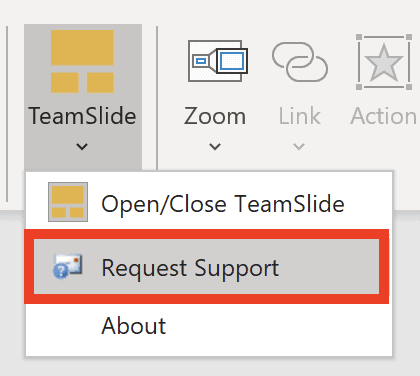
- This prepares an email with the required log files.
- Please add a description of the issue and send.
If you can't access the TeamSlide icon, you will have to send the log files manually:
- In Windows Explorer, navigate to %LOCALAPPDATA%/Aploris by typing it into the address bar.

- Please attach the file powerpnt.exe.txt in an email to support@teamsli.de along with a description of the issue.
We'll analyze the log files and get back to you soon.



More from our blog
Discover insights and strategies for better presentations